Turn a booking into a usable packing slip
Turn an accepted rental order into a packing slip that shows components, locations, quantities and what actually left.
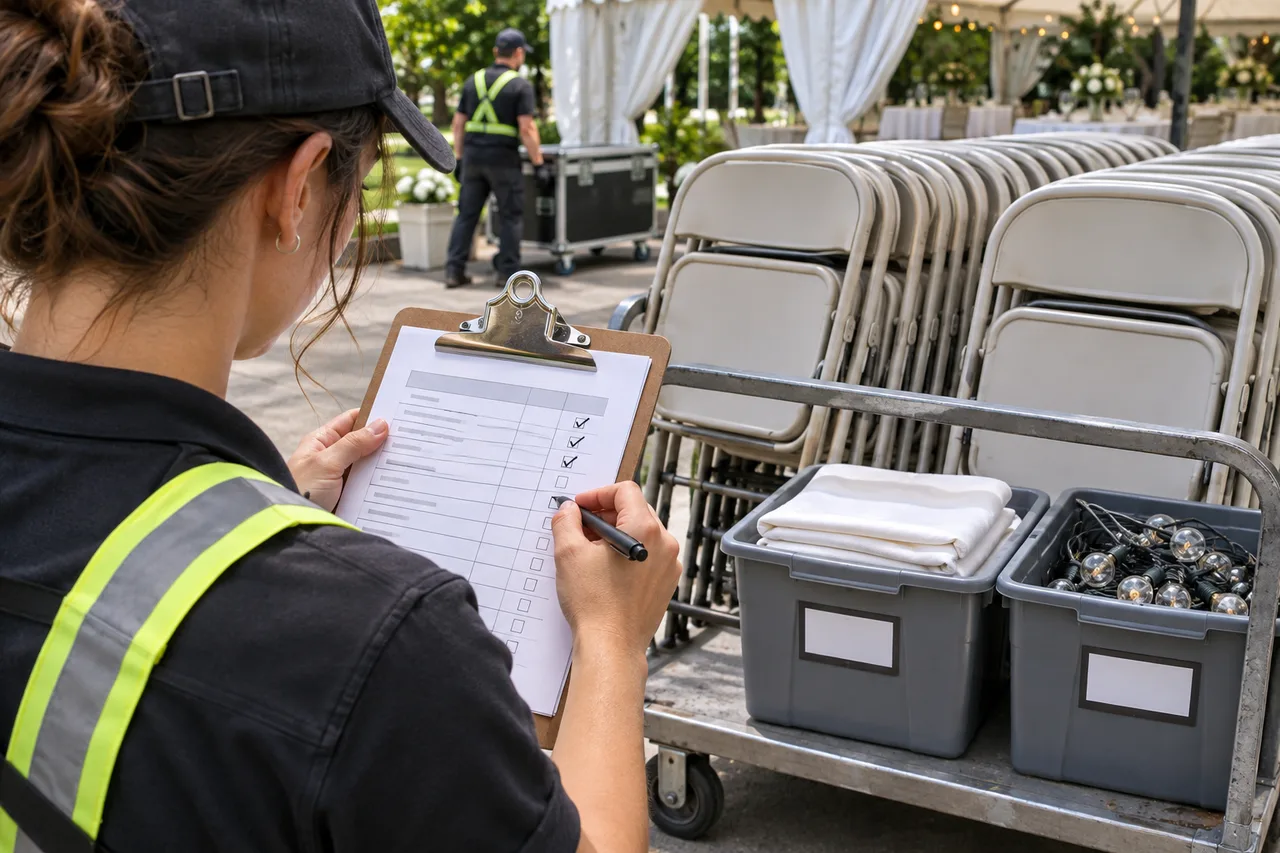
The order is for 60 folding chairs, six tables, linens and a backdrop. The invoice shows four grouped charges. The truck crew needs to know that there are three sizes of linen, a box of backdrop connectors and a separate pickup after the main collection. The approved sale and the work of preparing equipment describe the same job at different levels of detail.
A packing slip is the working version of an accepted booking. It tells the person picking equipment what to find, what quantity to count and which job the equipment belongs to. It gives the next person a way to check what is physically present. You can make it useful without asking the warehouse to read the whole quote every time it prepares an order.
Generate the slip from the accepted booking
Start with the order the customer accepted and include approved changes. The office may have several estimates with different equipment choices. A packing slip should identify the current order and version clearly. If the customer changed the order after approval, verify that the warehouse sees the new quantities, options and times before beginning to pick.
Show the order reference, event name or customer identifier, and the date it needs to be prepared. For a pickup, highlight the scheduled slot and collection point. For delivery, provide the route or destination needed to stage the correct order. Put details for the person actively picking at the top. The dispatch or venue contact may be on another work view if that person does not need it until later.
Record when the slip was created. A print date helps the lead identify an old copy that was left on a cart. Include a short revision indicator or another reliable way to find the current version. If the list changes, give the warehouse an easy way to identify and retire the earlier copy. A dated piece of paper can still be useful once staff know whether it is current.
Keep prices and internal sales discussion in the booking record where they belong. The worker packing chairs needs to identify the model and quantity. The person checking delivery needs the address and access details. Billing can work from the accepted order and any approved adjustments. Showing only the information relevant to each task keeps a list easier to read in a busy work area.
Expand packages into the items people handle
Read a package from the warehouse’s perspective. A backdrop package may show as one priced line, while the team must pack two bases, two uprights, one crossbar, a fabric panel and several clamps. The equipment needs to be listed in the units the crew handles. If a component is stored inside a kit, say where it will be found and when it must be checked.
Include variants that change what will be picked. If a venue requested navy tablecloths in two sizes, group by the size and include the color on both lines. An employee should be able to identify the difference without looking at the customer’s email thread. Match the working item name to the name on the shelf label when possible, while keeping a recognizable product or stock code for verification.
Handle reusable components and consumables as separate records where appropriate. A display stand may return, a paper instruction set may be left with the renter, and disposable ties may be consumed. Knowing which things need to be counted back helps the return team. Include replenishment from the correct bin when those pieces are routinely missing from new orders.
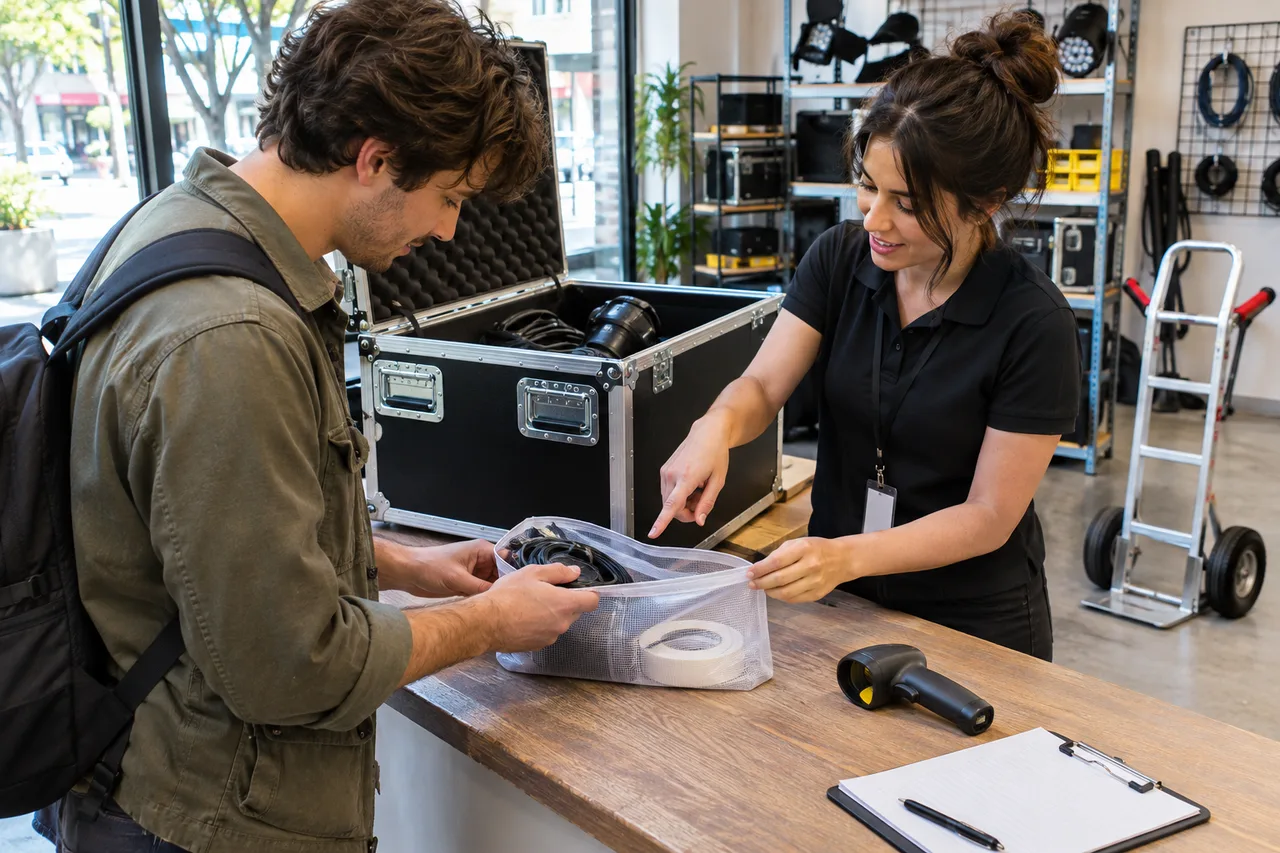
Make optional add-ons appear only when the customer selected them or the team explicitly approved including them. A price list may show cables available as an option, but the picking record needs the actual accepted choice. If the rental business includes a standard spare, record the quantity so the crew can check it before departure and count it at return.
Make quantities clear enough to check at a glance
Pick a count unit for each product. A stack of ten chairs is convenient for staging, while the booking might be for 65 chairs. Show the total and allow the picker to record six full stacks and a stack of five. With glasses or dishes, show both the number of racks and the total pieces where the rack size makes the extra information useful.
Record expected and actual counts separately. If the picker found 58 of the requested 60 chairs, the slip should show two missing. Crossing out the expected number makes it hard for the check lead to see the gap. If two more chairs are added later, record their count at the point of verification. Make the final loaded quantity easy to determine.
Get the same count when an item is split between groups. If 40 chairs are for dinner and 20 are for a ceremony, the slip should show the order total and each destination. If the same item goes on two vehicles, each manifest can show its own assigned load. An employee looking at one cart should know which quantity they are responsible for checking.
Clarify units for items that are sold, rented or packed differently. Six tables can be six complete pieces even if the legs and tops are carried separately. Give the parts enough detail to prevent staff from sending six tops and five sets of legs. Keep the final order count visible so a component list does not look like the customer ordered twice the intended equipment.
Add the details that help someone find and verify the gear
Give each line a location when it makes the pick easier. A shelf code, cart position or prep station can be enough. If staff normally replenish a primary shelf from reserve stock, show how to check that source when it is needed. Review the slip after moving stock. The location is useful only if someone can follow it during a busy shift.
Use a product identifier for pooled items and an individual asset identifier when that exact piece matters. A slip might call for one projector from a group, with the crew recording the asset assigned during picking. If it has to be the same unit used in a prior event or paired with an accessory, include the requirement with the order. Document the serial number or asset ID that actually leaves.
Put handling information next to the relevant line. A factory-provided case may already have a suitable checklist, while a special setup may need a diagram. Refer to the document or include the short detail staff need at that point. “Pack the narrow base for the garden entrance” helps a worker choose the right component. A general “special setup” note leaves them to ask what changed.
Review photography and descriptions in daylight and at the picking location. A reference photo of two similar items can help a new employee. It needs to be large enough to distinguish the variant and placed where it can be viewed. In a printed list, a clearly named size and finish may be faster than a tiny thumbnail. Choose the detail that actually helps someone verify the item.
Assign a clear place for missing items and substitutions
Give staff a way to record what they found. If a linen bundle is missing two pieces, the picker should be able to show that shortfall without marking the whole order complete. Record who is checking it and by what cutoff. Assign a staging position for the incomplete order or give it a visible status so the team does not deliver part of the order by accident.
Separate an approved substitution from an available alternative. If the customer selected clear chairs and there are only black chairs left, the warehouse can record the proposed option. An office employee can obtain approval and update the booking if the customer agrees. The current slip should then show what the crew must actually pack, with the earlier choice retained in the order history.
Check the replacement’s components. A different table size may need different linen, and a different speaker may need a stand or cable not listed before. Update the packing list to reflect the full approved combination, including what is now unnecessary. If dispatch has already seen the earlier slip, communicate the change directly to that crew rather than assuming it will see a note.
Give the final checker permission to stop an incomplete order and a way to get an answer. A missing bin that will arrive later may be acceptable if everyone agrees where it will meet the crew. A missing piece needed for initial setup can change the delivery plan. Describe the dependency and keep it visible until the right person resolves it.

Walk through the chairs, tables and backdrop
Consider the 60-chair booking. It has forty chairs for dining and twenty for a presentation area. Four six-foot tables need gray linens, two four-foot tables need white linens, and an additional stretch cover belongs to a small display table supplied by the venue. The backdrop requires two adjustable uprights, weighted bases, a crossbar, one panel and six clips. The customer sees several grouped charges. The warehouse sees the working components.
The picker gathers six stacks of ten chairs. Four stacks go to the dining cart and two to the presentation cart. The tables and linens are checked by dimensions. The stretch cover goes into a separate marked pouch so the venue’s display table can be dressed without sending an unrequested table. The backdrop frame and fabric travel together in the assigned case, and the employee counts the six clips before closing it.
The checker finds only five clips and marks the case incomplete. Another employee finds the spare bin and verifies that the replacement clip is compatible. The checker counts six, records the case as ready, and verifies that it is loaded with the presentation equipment. A later customer message changes the placement of one dining table. The pack counts stay the same while the setup destination is updated separately.
At collection, the venue keeps the display cover overnight. The return worker counts the six tables and 60 chairs and checks the backdrop case. The cover appears on the list as still due on the later pickup, with a defined location and owner. It does not need a new manual note to show why the original booking is still open.
Verify the slip at the points where the work changes
Use the first check at picking. The worker confirms what they placed in the staging lane and records any variance. Use the second check at handoff. The driver or counter lead can verify that the ready pieces actually left. Those checks can be quick for a small order and more detailed for a large one. Choose the level of evidence that serves the operation.
Compare the slip with the manifest when orders share a truck. The slip holds the items booked for one job. The vehicle manifest holds all the equipment travelling on the truck, organized by stop or unloading sequence. Confirm that a tote, chair cart or case is recorded against the right job before it joins a mixed load. The person receiving the first stop should see the counts for that stop.
Reuse the useful details on return. The employee can check the item names, counts, kit pieces and identities actually dispatched. If the order went in two parts, show which things are expected on this return. Note the physical arrival and the condition status separately where the item still needs inspection. That record lets the office see outstanding items and the warehouse know which gear is ready again.
Give staff a fallback for a damaged paper list or a device that cannot connect. They may need a copy in a known place or a simple way to record actual quantities until the system is available. Define how that fallback is reconciled once. The office should know which record is complete and which still needs to be entered before the next booking uses the stock.
Make the form usable during a change of shift
Add a short handoff area for the state of the order, the last completed check and the next action. A night shift employee might leave the chairs counted, the table covers pulled and the backdrop case waiting for clips. The morning team should see which action will make the order ready and which station holds it. Use a brief note and the current item status. A full history of the order belongs in the booking where anyone who needs it can find it.
Consider the layout when your team prints the list. Group a component with its parent item and place the quantity on the same line as the relevant option. If the linen section flows to a second page, repeat the order reference and the column labels so the page can still be used beside the cart. Put the most important status where someone can spot it while holding the list at arm’s length. Use black text and a clear label for any state that also uses a color.
Check a common revision during a shift change. Suppose a planner approves ten more chairs and moves the planned delivery to the earlier truck after the evening team stages the cart. The new slip should show the expected quantity, the count already staged and who needs to check the extra chairs. The manifest should move the order to the earlier truck. The morning lead can reconcile those changes without losing the work already checked or following both copies.
Agree on one way to close a paper copy after the order is loaded. One business may record the final count in its booking system and keep the paper for the vehicle. Another may scan the completed sheet into the order. Use the process the staff can perform consistently and verify that the person doing returns can see the final quantities without calling the vehicle crew.
Pilot the format against real orders
Test one simple pickup, one order with several kit components and one truck carrying more than one job. Ask a worker who did not create the order to pick from the slip. Observe where they stop to ask a question or look at another screen. A repeated question about one detail tells you where that information belongs.
Review the layout where it will be used. Does the printed version split an important line across pages? Can the person standing beside a cart see which count is expected and which is actual? Can someone on a phone find the next shelf without needing to zoom? Compare both views when your team uses both.
Watch what happens after a revision. Prepare a copy, then change one approved quantity or pickup note in a test order. Confirm the right person can tell which version to follow and that the check record from already picked stock is still available. Ask them to reconcile only the affected item or step. The whole order should remain readable without forcing staff to recheck everything because one table changed.
Keep a few examples once the format works. A clear kit line, a split furniture count and a partial return each demonstrate what your team expects. Use them when training or adding new inventory. The packing slip earns its place when a person taking over at any handoff can identify the booking, find the pieces, confirm the count and see what still needs attention.