Track equipment from reservation to inspection
Link reservations to equipment picked, handed over, returned and inspected so the warehouse can verify what is ready for the next job.
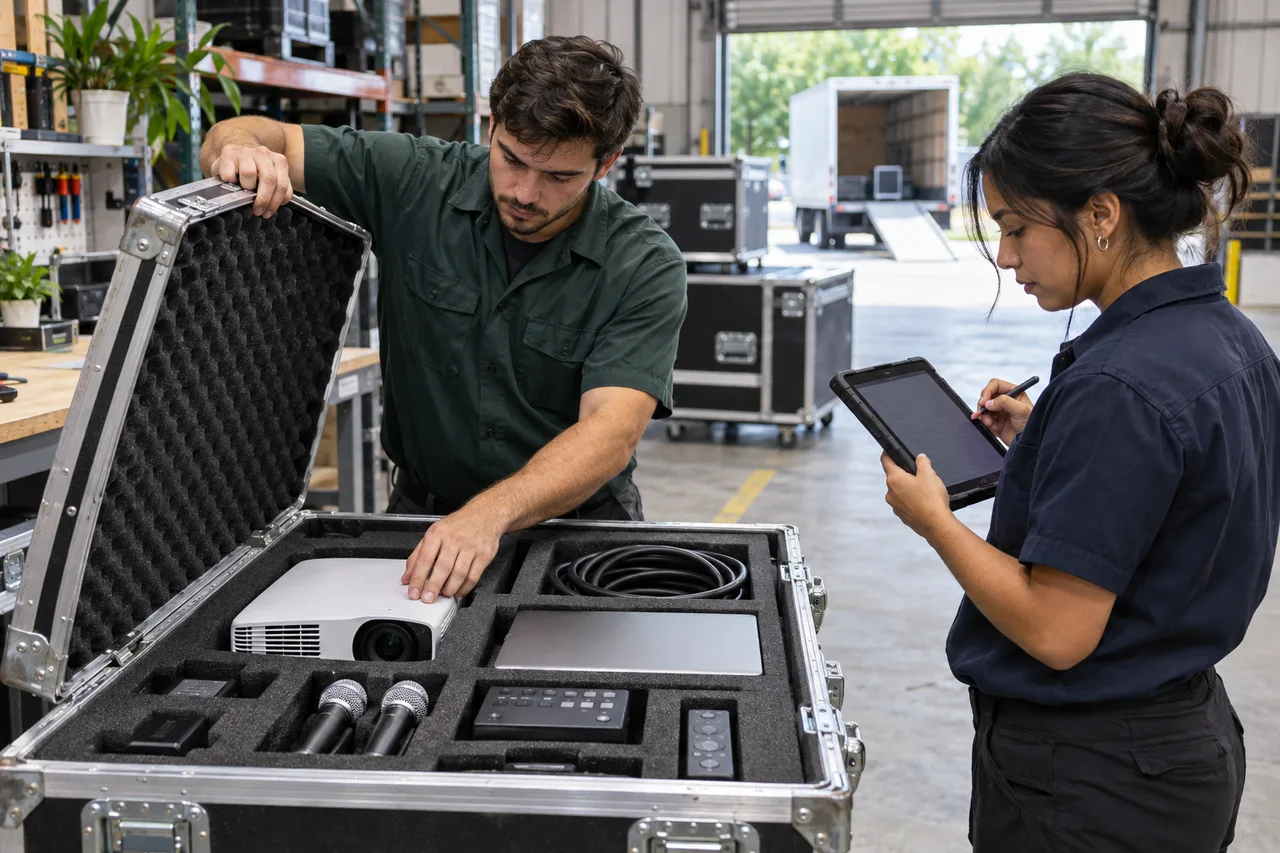
Four presentation kits leave for two conferences, and four black cases come back. On the return bench, one case holds a different projector and another is missing its remote. Counting the cases explains what came through the door. A useful equipment history tells the warehouse which units actually left, which orders received them, and what has to happen before each unit is ready again. Build that history around the decisions your crew already makes.
Begin with one order that uses equipment staff can identify individually and items they normally count in bulk. Follow the order from the first allocated quantity to the moment staff confirm everything is available again. Write down which record tells you what was supposed to happen and which one shows what actually happened. An earlier pick list can explain the plan, while a staged record or scan can point to the case that was put on a truck.
Set the identity level according to the work
Decide which assets your business needs to distinguish from one another. A set of ordinary folding chairs might only need an inventory line with the quantity picked and the quantity received. A particular projector, camera body or high-value case may warrant an individual identifier so staff can find a model, condition history or service record. Certain carts may need a tag because they move independently of the equipment they carry. Use the level that helps the next employee make a decision.
For a serialized item, use one stable asset identifier. Put it where people can see it when they pick or receive the unit. Record the manufacturer's serial or other reference where it helps confirm the match. If a customer rents a kit, identify the case and keep a checklist for the important contents, including pieces that can be exchanged or handed back separately. A kit identifier should lead to the right booking and the expected items inside it.
Set an easy rule for new equipment. When a replacement arrives, use a new identity so it starts its own history. Keep the older record available as needed to see where that item was last assigned. If an asset label tears or wears out, replace the physical label with the same confirmed identity. Have someone verify the new label before the unit goes back on the ready shelf.
Make the reservation the starting point
A reservation usually starts with a customer need, a product or package and requested dates. The business may commit a quantity first and assign a particular unit closer to loading. Write down when that assignment should happen for each type of equipment. A contracted match for a particular model or color may need confirmation sooner than a general request for standard chairs. The business should still be able to link the actual item to the right order before it leaves.
Confirm the operating location and interval. A return Sunday afternoon may need time for intake and inspection before a Monday pickup. A unit stored at another branch may need to move before it can be picked. Consider those steps when selecting a unit. The assignment should match what the warehouse can stage and what the customer was promised.
Give the person making the assignment a way to see conflicts and choose a legitimate replacement. The unit might have been reserved for another location or sent to service after a return. Check expected availability and any accepted restrictions before assigning another unit. When a customer needs to approve a change, record and share the decision through the ordinary order process.
Record the physical pick and load
At staging, match the asset identifier and quantity to the reservation. A printed list or tablet view should give enough detail to distinguish two cases with similar lids. Record which unit the employee actually picked. If the picker reaches for a substitute, verify that it fits the booking and update the assignment before loading. Staff on the truck should see the result of this decision without having to call the warehouse.
Add a short verification step for equipment that leaves with several components. For an AV kit, confirm the projector, remote, power supply and accessories that belong to the booking. For counted furniture, confirm the quantity and any relevant finish. Add a note for an approved substitution, unusual packing instruction or item still expected before departure. When the crew loads the order, compare the actual load with the latest confirmed list.
If one truck carries several bookings, use the reservation references and staging positions to keep equipment sorted. Check the stop assignment where staff close the truck and where they unload. A single record saying something is “out” can mean it is at a venue, on a truck or due to move from a transfer point. Include the event that happened and the location or person responsible for the next one.

Update custody when equipment changes hands
Use a small set of transfer events that match your work. A customer pickup may record when the order was handed over and the quantity accepted. A venue delivery may record the setup location, time and receiving contact or role. A warehouse transfer may record when the unit left a location and when the destination received it. Keep the details needed to find the equipment without requiring a full narrative for every routine handoff.
Give crews a way to record a real change. A case may be moved to another room with approval, or a second driver may collect part of an order. Use the applicable booking and asset identifiers on both entries. If pickup requires a return to another site, make the receiving assignment visible to the employee completing the job. The correct information should survive a shift change and show which part of the order has yet to move.
Staff also need a route for circumstances where they cannot confirm the handoff immediately. Follow the business's approved way to record a stop when access or connectivity is limited. Leave a clear indication that the result needs reconciliation. Someone in the office or at the warehouse should be able to confirm what happened with one record after the employee returns. Use a timestamp and item reference that the team can compare without relying on memory.
Receive what actually came back
Read the relevant booking and verify the identity or count at intake. If a case you weren't expecting arrives, record the observed ID and follow your warehouse's process for locating the related order. The employee may need to check a second manifest or ask a lead before closing a return. When a piece is missing, record the count received and what remains. Give the unresolved item an owner and a date for follow-up.
Handle parts of an order individually if they arrive separately. Ten of twelve chairs might be back in the first vehicle while the remaining two stay at a venue until the organizer clears the room. The returned chairs can move through inspection. The others still belong to the open collection result. Surface both states in the warehouse view so the next salesperson can see which capacity can realistically be offered.
Check cases for contents as part of intake or the designated inspection step. An empty compartment may indicate a missing accessory. An unfamiliar unit may have been put in the wrong case during an event. Record what you found and keep the items together where practical until a warehouse lead can compare the records. Closing all cases by count alone can move a discrepancy forward into the next customer's order.
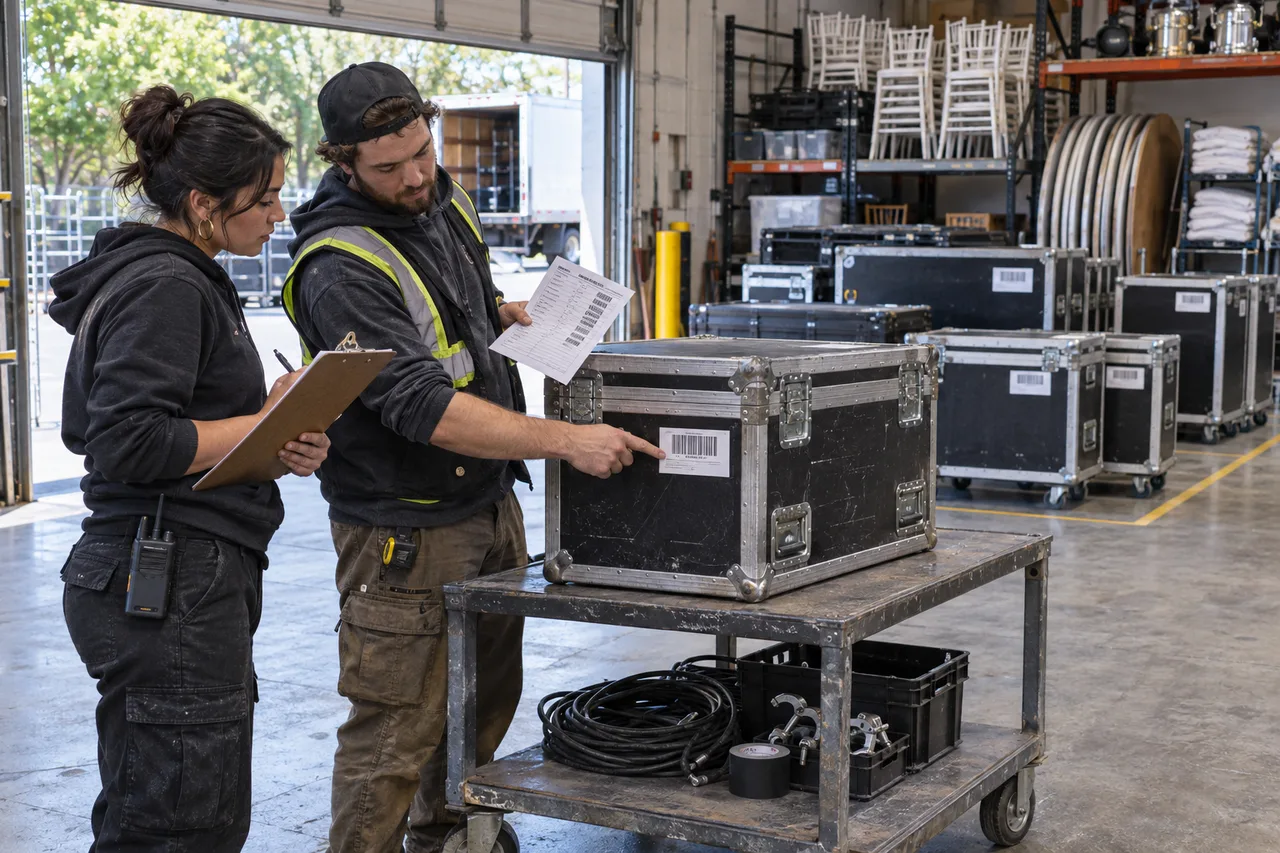
Separate received equipment from ready equipment
Mark a return when the equipment comes back, then follow the appropriate inspection or readiness procedure. Which checks apply depends on the gear and the business's normal equipment guidance. A case may need its contents verified before completing the service check. A group of tables might need individual condition checks and cleanup. Use the outcome needed for the next booking, including whether the unit can go out, needs work or requires further review.
Record the condition findings where they can help future staff. Examples include a loose case handle, a damaged connector or an accessory that was replaced. Note what was observed and which equipment it affects. If the asset goes to a service bench, leave the transfer with the unit and track the expected next step. The salesperson should be able to see it is held and reliably determine when to ask about the next available date.
Confirm readiness after inspection through the appropriate staff role. Update the physical location and verify it appears on the available list for the next order. If the outcome differs by quantity, record how many pieces were ready and how many stayed in review. A warehouse that receives eight pieces out of ten and clears six for use should be able to explain where the other four are.
Walk a kit through a complete cycle
Imagine a conference order for two identical presentation kits. One will be placed in the keynote room and one in a breakout room. The reservation records two kits and the delivery window when the account coordinator accepts the order. On the day before loading, the warehouse assigns AV-041 and AV-042, checks their accessories and stages both in the marked route lane. The crew can identify each case and where it should be set at the venue.
At delivery, the organizer asks to move the breakout room kit. Once it is approved, the crew records that AV-042 is handed off in a different room. A second driver handles collection after the conference and uses the revised location. They receive both cases, but note that AV-042's remote may still be with the venue. The driver records both physical cases and the one unresolved item. The office can follow up with the coordinator from the booking.
At intake, AV-041 passes its checks and becomes ready. AV-042 remains in the service area until the warehouse confirms a paired remote is available and the usual readiness checks pass. A salesperson searching the next date sees one eligible unit until that happens. The team knows where both cases are, which order the shortage came from and who has the next action. These are the results to reproduce when you train a new picker or receiver.
Use the history to choose what deserves closer tracking
Review a small group of equipment after several weeks. Count the disagreements between planned and actual picks, partial returns, condition follow-ups and service holds that delayed the next order. Look for repeated problems by asset, item family or handoff. If two kits routinely swap remotes, compare the packing layout and labels. If the same piece stops appearing at intake, review how crew members verify its collection.
Ask whether more individual tracking would help resolve a specific problem. A handful of high-value accessories might need distinct IDs because they frequently move between cases. For an inexpensive interchangeable part, a shared count and a good checklist may be enough. Compare how long staff spend resolving shortages with the effort to label, scan and maintain each record. Start with the pieces where a more precise history can change a decision.
Make one improvement to a busy workflow and rerun an ordinary reservation. Let the order move through allocation, physical pick, handoff, return, inspection and release. Ask a person who wasn't there to tell you which item went out and why another item stayed in service. The inventory history is useful when they can answer with the same information that drives the next booking.
Reconcile items that are physically in one place and recorded in another
Choose a case you've seen before, such as a unit held at a service bench while the office view still shows it on the ready shelf. Start with the physical asset and its confirmed identifier. Review the recent handoffs and find the one that didn't reach the record. Determine which existing order or transfer should be updated and give the task to the responsible role. This avoids creating a second inventory item just to make the shelf count look right.
If several assets are affected, work from a small list with the expected site and the observed site. Check whether a cart was moved to the wrong lane or a branch received more than one delivery together. Review which bookings rely on those items before resuming ordinary assignments. When the physical and recorded locations agree, ask a coworker to make a new practice allocation and verify it reaches the right pick list.
Make the information usable during shift changes
At the end of a shift, review orders that are staged, in transit, partly collected, or waiting for service. Use a quick list of the exceptions rather than checking every completed handoff. A new employee should be able to locate the relevant items and tell which action is due. Keep the details such as room, load position and known shortages on the order or asset record so those facts do not have to be copied into several unrelated notes.
Choose an owner for each transition and a backup on busy days. Have dispatch confirm that the driver has the current plan, and have the warehouse check that the items returned are ready or visibly held. When a case remains out overnight, give the opening shift a way to see where it was last recorded and who will collect it. That routine supports an accurate history when the person who last handled the equipment is unavailable.
Check the trail for an order that changes after loading
Some reservations get edited after a truck leaves. An organizer might request ten more chairs while the original twenty are already in transit. Build a practice example with one confirmed change that needs a second vehicle. Have dispatch keep the first load record, add the agreed quantities to the reservation and assign the additional pieces through the normal process. The receiving person at the venue can then confirm both arrivals with a record that explains the split.
Reverse the case with a reduction. If only eighteen of the twenty chairs are installed and two stay on the truck, record where those two actually travel. The office should see the accepted service and the warehouse should see the physical return, including whether the two pieces were received before the rest. Check the resulting availability after each intake. Reserving, taking delivery and returning stock are separate events even when they appear under one order number.
Try the same exercise with a serialized substitute. Ask which case was on the original manifest, which case was handed over and where the unused unit went. Compare the result with the service history after both units are inspected. An employee should be able to trace the final equipment back to the correct order and determine what is available without rewriting the earlier handoff.
Before you close the review, have the next shift check one familiar asset and a less common one using only their normal task view. Ask what each is waiting for, which reservation used it and who can release it. When the answers agree with what the warehouse can see, the record is ready to guide the next assignment.