Set up pickup and return windows your crew can keep
Set rental pickup and return windows around real staffing, loading space and equipment turnaround.
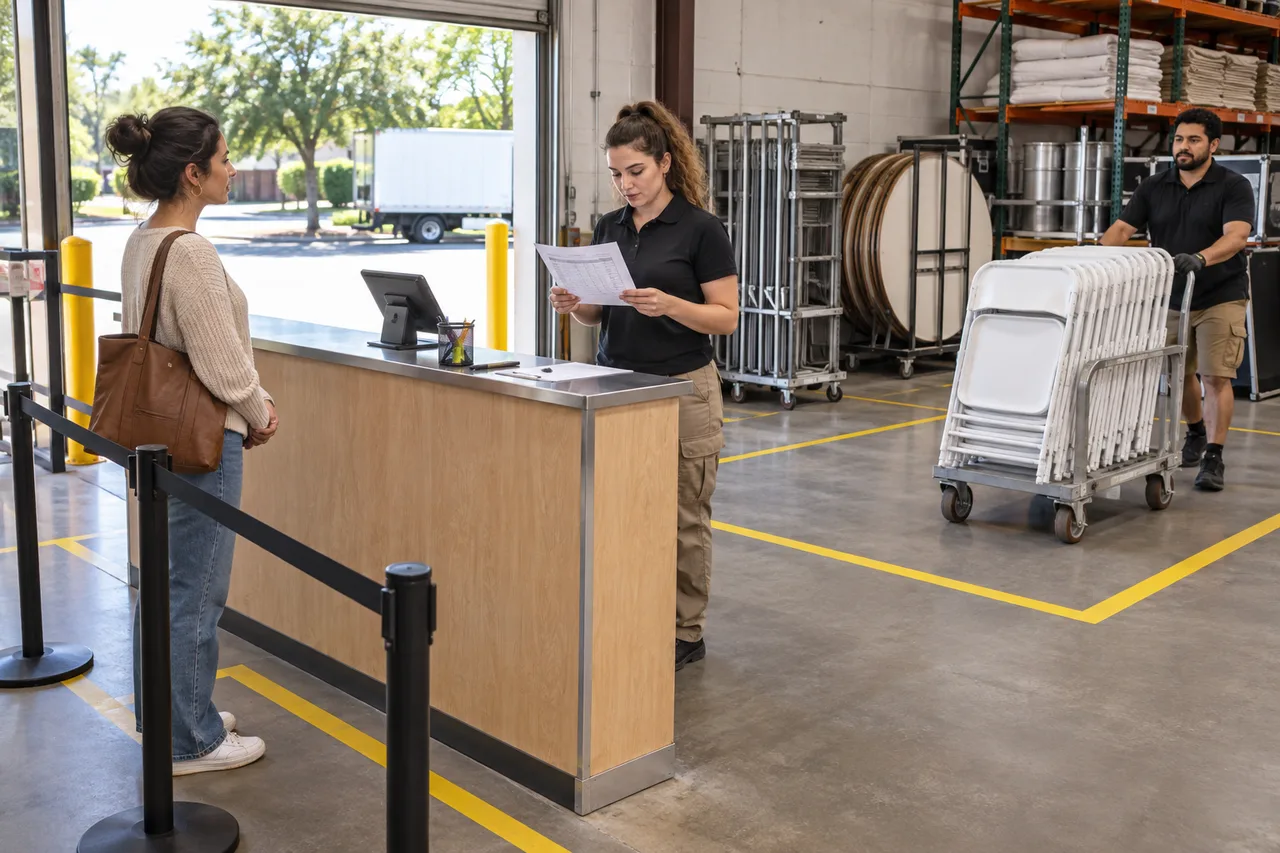
Ten customers have chosen Saturday morning pickup. Seven are booked for nine because the calendar offered nine to everyone. The rental items are ready, but there is one loading spot and one employee checking orders. A customer who arrives on time joins the same line as the two cars that arrived early. By the time the first return comes in, the crew has nowhere to set it down.
Pickup and return windows need to fit the work at the counter, the space next to it and the time equipment needs before it can go out again. A schedule can give customers meaningful choices and protect the handoffs those choices create. Start by observing a few actual orders and planning around the limited things your team uses to serve them.
Measure the handoff from arrival to a cleared spot
Watch several pickups without changing the process. Note when a customer arrives, when work begins, and when their vehicle clears the space. Capture which tasks take time. Staff might confirm the booking, find the staged equipment, count it with the customer, review use or return instructions and help move it to the vehicle. A customer may need to make a second trip from the counter to a loading area. Each step has a place and a person.
Observe a small order and one that needs more handling. A bag of lawn games can go out quickly from a shelf behind the desk. A set of tables may require a cart, enough room to load and a person to check whether the customer’s vehicle is suitable for the items. Record the different work rather than assuming every visit that starts at the same counter takes the same amount of time.
Follow a return through the first count. The customer may only need to give a booking reference and unload. The staff may need longer to open cases, count kit components or look at condition. Track when the vehicle can leave, when receiving is complete, and when the equipment is actually ready for another booking. Those times determine different parts of the schedule.
Keep a few actual times from a busy day. Note what made a visit go longer than usual, such as a missing contact name, a late customer or an item that was still being pulled from the rack. A short improvement to the order confirmation or staging process can reduce the time needed in a slot. Recheck the timing after a change before opening another window.
Find the resource that limits the number of arrivals
Count the people available to serve arrivals. A front desk employee might check in a customer while a warehouse worker stages the order. During a route departure, that warehouse worker may be occupied. Set capacity by who is actually available in that period. A window the team can serve on Tuesday may be too busy on Friday when deliveries leave.
Look at the spaces used. A customer can wait inside while their vehicle is outside, but two carts may still need the same door. Mark where customers park, where equipment is counted and where a truck can pass. Check whether a return can enter without blocking a pickup. If one loading bay is shared by both, count it as a shared resource in the schedule.
Look for equipment that requires its own handling. One worker may be able to process two small kits while a colleague checks a cart of tables. An extra-large chair order may occupy the whole lane and take both people. Give large or complex handoffs their own arrival option or a review process. Make the threshold reflect the work, such as cart count or need for a staffed loading area.
Check other work happening at the same time. A rush of customers can slow cleaning, repair and inventory prep. Blocking a short period for the crew to clear staging may give the schedule more reliable capacity later. Ask what repeatedly falls behind on the busiest day and measure whether a different order of appointments helps.
Decide what a window means to your customers
Be clear whether a time is an appointment, an arrival range or the earliest point at which an order will be ready. “Arrive between 9 and 9:20 a.m.” gives the customer a clear range. “Pick up any time from 9 to 11 in the marked pickup lane” describes a different arrangement. Use wording that matches the number of people the business can serve and what customers should expect when they arrive.
Allow for ordinary variation. If a routine pickup takes eight to twelve minutes and one employee handles it, a schedule built around five-minute spaces will develop a queue. Try a window that can absorb a longer count or a short delay. For a high-volume period, decide how many of the expected arrivals can start at once. Test it with real work before relying on it in customer confirmations.
Use different rules for pickups and returns when the tasks differ. A short return window may work for simple drop-offs while the receiving team inspects equipment afterward. If returns have to be counted with the customer present, allow that time in the slot. Tell the customer what will happen at handoff and what happens after they leave.
Set rules for early and late arrival and explain them in useful terms. If a customer arrives before an order is ready, tell them where to check in and how to learn their options. If they will miss the window, give them a channel the staff can monitor. Keep the next options visible so an employee can move the visit without guessing which other arrivals are already scheduled.
Connect appointments to reserved equipment
A rental has both a use period and a period when the business cannot hand the items to someone else. Friday pickup through Monday return may be necessary for a Saturday event. The calendar needs to hold the goods for their whole time out, plus the preparation and reset needed for the next booking. When you offer a pickup or return choice, check both equipment and handoff capacity.
Account for the work after a return. Chairs may need checking and cleaning. A hard case may be back while one accessory remains due. A customer departure from the loading spot does not automatically make the equipment available. Put the release after the right check so the next available pickup starts with items the team can actually hand over.
Support planned changes in one place. When a customer asks to return a day later, check which appointments and stock windows will move. If another order needs the stock, the office can offer a different return option or use an approved substitute for the other order. Record the actual decision and send the customer a revised confirmation. Keep the old date in the booking history for reference.
Check the storefront and staff view together. The person seeing an open slot online should have the same pickup choice the office sees for that booking. If staff reserve lanes for recurring bookings or deliveries, make those holds visible where capacity is calculated. Test two simultaneous choices for the final slot in a safe test environment to see whether the two confirmations respect the defined capacity.
Give the renter a confirmation they can follow
Put the appointment, site address and arrival instructions in the confirmation. Include a contact for changes and a booking reference the customer can share with the person collecting. If there are two entrances, identify the door for rental pickups. Mention any practical details the customer needs, such as a loading location or a requirement to check in before moving into the bay.
Tell the customer what to bring and what a return should include. A large order may need someone able to handle particular equipment or a vehicle suited to the packed dimensions. Keep the details relevant to the actual order. If the crew expects accessories to stay in a labeled pouch, include the pouch on the handoff list. A short reminder before return can help the person who did not collect the equipment.
Confirm changes where the customer will see them. If the order moves from nine to ten, the revised time should be visible at the top of the booking and in the follow-up message. If the address changes to a different warehouse, provide directions to that location. Check what happens to any pickup reminder scheduled before the change so the customer does not get a message for the old appointment.
Give the office the same information. A staff member should be able to view the next arrival, the order status, pickup or return instructions and anything still pending. If the customer calls, the employee can agree on a workable change and confirm it from one record. The warehouse needs to see which cart moves when that decision affects preparation.

Work through one Saturday with a single loading lane
Imagine one counter employee, one warehouse worker and one shared loading space. Recent visits show that most simple pickups occupy the lane for about ten minutes, larger furniture pickups often take twenty, and simple returns can unload in less time if the receiving area has space. The opening stretch needs to serve three small pickups, one large pickup and one return. The business leaves room for a delayed arrival instead of giving every customer the same starting time.
The team schedules small pickups at nine, 9:15 and 9:30, then the large pickup from 9:50. A return uses the lane after the large order. The warehouse stages the first three jobs before opening and parks the large order where its cart can move forward without blocking them. The counter employee sees the windows and communicates the check-in sequence. These are trial times for this shop and need to be reconsidered once the team observes the effect.
The 9:15 customer calls at 9:20 to say that they are twenty minutes away. The employee sees that the large pickup needs the lane at 9:50 and offers the next available window after it. The small order stays staged in an area that does not block the lane. The customer knows when to return and the warehouse can still get the larger job out.
The return customer arrives with a disassembled backdrop and one bag of hardware. The receiving worker clears their vehicle, then checks the kit at a bench beside the receiving area. One clamp is missing. The order shows the main pieces physically returned and the kit awaiting a replacement. A customer with a later pickup for that kit is contacted only if preparation will miss the committed time.
Give the warehouse a staging deadline for each window
Work backward from the first time a customer can arrive. If a booking needs a count, a kit check and a cart, reserve time for those tasks before the appointment. A checkout calendar shows when the customer can come. A work schedule shows when the warehouse needs to begin. Linking both keeps the desk from promising a window that is open for customers while staff will still be pulling gear.
Give the crew a practical order of work. The first appointment might need only one tote and the second might need two carts pulled from different stock areas. It can make sense to start preparing the second booking earlier, then place the tote where it can reach the counter first. Show both orders in the same staging view with the appointment, stock location and what needs to happen before each is marked ready.
Decide how to flag an order that will miss its window. Staff should be able to report what is missing, who is resolving it and when they expect an answer. Give the counter employee time to contact the customer before they drive over. If an item is late but a different product works, discuss it and record the customer’s choice. If a later window is a better fit, confirm it in the same place as the original appointment.
Try a day with limited staging space. Suppose three large orders cannot fit nearby at once and two people need to use the same cart. Staging times can be sequenced to clear the first order before the next is moved forward. Confirm that the plan still leaves room for a return waiting to be counted. A clean lane at opening can fill quickly if the team has no agreed place for a booking that is waiting on a missing item.
Make a recovery plan for busy or disrupted days
Prepare a simple sequence for a late route, system interruption, weather closure or staff absence. The person opening the counter should know which orders are ready, which contacts to use and where to note a change. If several appointments must be moved, contact the customers closest to their window first and keep the new commitment in the same schedule the warehouse uses.
Give staff an alternate place for arrivals only if the space can handle it. A large return should have somewhere to wait without covering a needed exit or stopping another load. If the receiving area fills, control how many more vehicles can come in and keep customers informed about the next practical time. Keep the ready and return carts clearly marked during recovery.
Reconcile the actual events after a disruption. Mark who collected their order, what came back, and which appointments remain open. Check bookings that depend on a delayed return. A queue that clears before lunch can still leave equipment in the wrong stage on the calendar if nobody updates the return record. Give the closing lead a short check for those exceptions.
Use the next four busy shifts to tune the schedule
Review how many appointments started within the window and how long the lane stayed occupied. Track early arrivals, late arrivals and orders that took longer because items were still being staged. Record lost capacity where another scheduled task needed the same employee or space. Use the evidence to decide whether work needs to move earlier, appointment counts need to drop or some services can use separate windows.
Ask a colleague to try the booking process as a customer. Have them choose a pickup, read the return time and find the instructions for a late arrival. Then ask the warehouse to explain where it would put the order and how it would know when it is ready. The same reservation should answer both sets of questions without a manager interpreting it.
Try a change at one time of day or for a short group of products. Compare the next set of arrivals with a similar shift. Keep a buffer if the process has ordinary variation. Consider expanding only after the staff can meet the confirmed windows while carrying out the rest of their work.
Revisit the schedule when you add a delivery run, open another location or put a new equipment category online. The limiting person, door or check can change. A useful window gives customers a clear commitment that the team can meet, and tells staff exactly what has to be ready for the next arrival.