Run a local Meta ad that leads to a rentable date
Build a local Meta ad around an available rental date, a clear delivery area and a package your crew can fulfill.
A local rental ad can show an attractive setup and still make the customer do too much work. The photo shows a canopy, chairs, bistro lights and a dozen table settings. The caption asks people to message for details. The business then spends the afternoon explaining that the lights came with the venue, the canopy is committed for Saturday, and delivery to the town where the ad appeared requires a fee the customer did not anticipate. A useful rental ad starts with a piece of capacity you can sell and carries that same offer through the customer's next step.
Suppose you can supply a tent, six tables and forty chairs on several Sundays. You have one delivery route with a spare stop, and those pieces can be ready in your warehouse the previous evening. Build an ad around a gathering that fits this setup, lead people to the relevant rental page, and ask for the date and delivery area as soon as they are useful. If you sell through quotes, describe the quote process. If you can confirm a booking on the site, let the customer see what confirmation takes before you buy traffic.
Find the dates where another job fits
Ask dispatch to point to an opening on its real schedule. A chair cart being available on Sunday is one requirement. The crew also needs enough time to pick the order, deliver it, collect it later and return the equipment without affecting a booking already on the calendar. Consider shared stock, time for inspection between jobs, event windows that complicate the route, and who can make a delivery decision after hours. Review the calendar with the office instead of taking an old inventory snapshot as permission to advertise.
Select a date range the team can keep up to date. A school graduation package might work on Fridays in a four-week window if the business can deliver earlier that afternoon. A backyard seating kit might be available for depot pickup on several weekends and much easier to advertise around a longer period. For a business with one trailer and three strong bookings already in place, the most valuable campaign might fill a quieter weekday rather than adding demand to Saturdays with similar requests already waiting.
A rental coordinator can maintain a small record with the package, supply dates, delivery cutoff, point of contact and stopping condition. For example, the coordinator might pause the ad once last Sunday’s remaining route stop is confirmed or once the calendar is within two days of the last serviceable booking date, whichever comes first. Write who will check the schedule while the regular coordinator is off. This promotes the remaining capacity while giving staff authority to keep the message accurate.
Describe the package the viewer will actually receive
Use the order sheet to assemble the offer from individual components. If the photo has forty chairs, list forty, and explain when extra chairs require a modified quote. Decide whether the canopy, stakes or ballast provided for that job, linens, setup assistance and delivery are part of the advertised price or separately quoted. Show a rental photo you are authorized to use. Choose a view where a first-time renter can see which equipment is yours, or name the included items in a caption and avoid any implication that you provide venue fixtures.
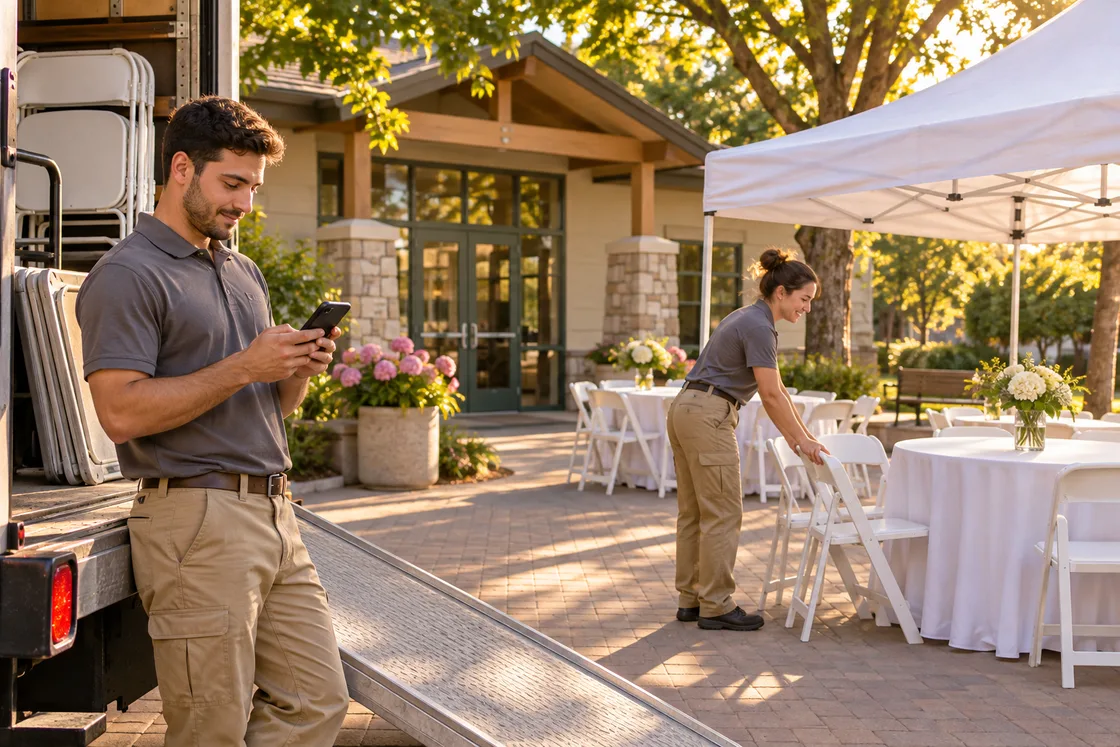
For an example, a shop advertises “Sunday garden party seating for 40.” Its ad shows six folding tables and forty white chairs set up at a paved patio. The landing page describes the furniture, gives the package rental price, and asks for a delivery postal code to estimate any fee. Setup of tables and chairs is quoted if requested. The venue’s permanent string lights appear in the background. The business uses the photo because the equipment is easy to recognize, and the page makes clear what is included without a visitor needing to ask about each object in the frame.
Write a short description with one next step. An opening such as “Hosting 25–40 guests in the west side delivery area? Check Sunday availability for our six-table, forty-chair package.” gives customers a date, scope and capacity to consider. The reason to click is clear. Replace a wide promise such as “available for every event” with something the booking team can fulfill. If there is a starting price, show what earns that price and where delivery, staffing or taxes are calculated. Let the quote page carry the details that can vary by venue.
Set the audience around a service boundary you recognize
Pick the part of your service area that matches the economics of the offer. Compare recent deliveries by postal code or district with drive time, parking difficulty, travel across bridges, and time waiting for venue access. A destination across a river can be close on a map and costly on the route. A predictable warehouse pickup offer may make sense for locations you rarely deliver to. If one neighborhood requires larger truck access arrangements, a broad “we deliver” promise can create generated leads that the team must decline individually.
Use the relevant location settings in Meta Ads Manager to start from those areas. The location setting is a way to guide where ads reach people. It is not your order address check. An event planner may live in a nearby city while booking at a venue you serve. Another viewer may live within the audience area and organize an event outside of it. Ask where the event is happening, let the business apply its own availability and delivery rules, and record the difference between a viewer's likely location and the delivery address the crew needs. Meta’s overview of creating an ad and choosing its objective and audience
Avoid pursuing too many tiny audiences at once when your budget and available bookings are limited. If one ad set represents only a few blocks and a second serves a different radius with different package prices, you have changed multiple factors. Combining comparable neighborhoods may make the first test easier to understand. If a single postal code repeatedly produces requests you cannot service, use the inquiry records to determine whether to adjust the targeting, describe the service limit more clearly or add a different fulfillment option.
Research the audience from actual jobs. A neighborhood restaurant and a street festival can both ask about forty chairs, but their delivery slots, permission requirements and repeat schedules can differ. Look at a few comparable bookings and choose an initial purpose, such as backyard celebrations or community events, where the same page and team can handle the request. Retain other inbound requests in normal operations without requiring the test to cover every occasion the company serves.
Build the page before spending on traffic
Send people to a page with the package name and photo they saw in the ad. Check that the main details are visible on a phone before they scroll past a full-screen banner. Explain what is included, whether they can pick up or need delivery, how soon they can expect an answer, and what locks the booking. A first-time renter should recognize the offer immediately and have the facts needed to decide whether to proceed.
Choose a first action that matches the shop’s process. For straightforward packages, a button to check a date can lead into the availability calendar and retain the package selection. An operator who must confirm surface, access or staffing can accept a quote request with date and location fields. Use a success screen or email to explain what happens next. “We’ll check your date and reply during office hours” accurately describes a quote path. A message that implies a held date when the inventory is still free invites confusion.
Enter your own test request using a dummy name and a postal code from a neighborhood you serve, then test a date the team closed. Try a location just outside the usual boundary. Check what someone sees if they need a different quantity, if the exact date is taken, or if their page opens inside a social app. Offer the actual alternatives the business can handle, such as pickup, a nearby date, a smaller package or a callback. Test the handoff to the inbox or booking record so someone can answer when the campaign runs.
If you use a lead form inside the ad platform, ask enough to tell whether the job fits. A phone number plus the question “When is your event?” can still mean multiple follow-ups if you omit the delivery location. A form that asks every question in the rental agreement can be hard to finish from a phone. Start with date, delivery area or pickup option, package or guest count, and a contact method. Let a coordinator collect details such as precise placement and gate clearance at the right stage.
Show the offer in creative designed for a phone
Take a readable photo of the package in a realistic setting. A gardener’s patio setup can make the scale of a table arrangement clearer than a distant wedding ballroom image. A short clip can show how people approach the chairs or how much room a tent needs in the kind of yard you serve. Ensure that essential facts are readable on the screen and available as text in the ad. If you include speech, add captions. Review previews for the placements you intend to use before choosing a crop.
Give the two versions of an experiment a meaningful difference. One version could open on the fully set forty-person layout and another on a view that shows car-side pickup. Run that comparison only if both routes are genuine and you are deliberately testing fulfillment messaging. If you are trying to understand an image style, keep pickup and delivery options the same, change the image, and maintain equivalent copy and pages. Otherwise you may attribute the results to the photo when the second group simply preferred avoiding delivery fees.
Tie your campaign objective to the next useful action. If the initial process requires a quoted job, a qualified request is more informative than a generic page visit. If a customer can complete the entire reservation online and you can reliably measure that outcome, booking or payment signals deserve attention. The choice will shape what Ads Manager tries to find. Pick a result the business can verify and record separately even when the advertising dashboard models or attributes a slightly different count. Meta’s Ads Manager guide to campaigns, ad sets and ads
Calculate what you can afford to learn
Estimate what an additional completed order contributes. If a six-table package with delivery brings in $440 and direct order costs total $250, there is $190 left before fixed overhead and advertising. Those costs could include loading time, driver wages, vehicle costs, an allowance for cleaning, a payment fee and other costs tied to the job. On another route the same order might cost more to deliver. If the campaign uses a promotional price, update the calculation. Record the numbers as assumptions the first few jobs can improve.
Then decide how much of that contribution you are willing to spend to gain a booking. Suppose you allow up to $70 and your recent comparable leads booked at about one in three. A $23 cost per qualified inquiry would roughly correspond to your target if that conversion rate holds. Treat that as a planning figure; five leads are too few to establish that it will repeat. Budget an amount that is worth the learning, set an end date, and write down who can pause the campaign if inventory or staffing changes sooner.
Compare the expense with the alternative use of staff time and equipment. If fourteen closed-date inquiries force three hours of evening response work, a low cost per lead can be misleading. A campaign that fills only a quieter Sunday can still be valuable if it produces incremental orders at a sensible cost. Track deposits at confirmation and refunds or cancellations separately, especially when weather or event uncertainty materially affects the final outcome.
Give the office a way to work and tag inquiries
Set expectations in the autoresponse and the actual staffing schedule. If someone submits a request at nine in the evening, the form can explain when the office resumes and how confirmation works. If your team promises to review weekend requests the same day, assign coverage and verify that the form goes to a queue someone is monitoring. A short transfer note should include which offer was requested, the date, the relevant service area, the next action and who owns it.
Add a few practical outcome reasons to the inquiry records. Common examples are date unavailable, outside service area, quote sent, moved to another date, confirmed and declined. Staff can also record when duplicate messages concern the same intended rental so that an email and a social message are counted together. Use campaign tags or a source field consistently. Keep personal details in your booking system and use aggregate figures for a campaign review.
One Friday, an ad spends $90 and generates six unique requests. One is outside the service area. Two ask for a Saturday your shop had already closed. Three suit the promoted Sunday. One of those accepts a quote and another asks about a later available Sunday. Looking only at six leads suggests $15 per inquiry, while the actual cost is $30 per inquiry that fits the offer and $90 for the one currently confirmed order. The third may still confirm, and the later inquiry deserves its own record. Review the reason for the mismatch before deciding whether the office, the landing page or the targeting needs an adjustment.
The correct first change might be to move “Sunday” into the first line, add the date picker above the fold or show where pickup is available. It could also be to pause the current offer once the last route stop is gone and plan a weekday campaign for a different package. If the ad consistently generates requests for a weekday the business could serve with a minor schedule change, take that observation to dispatch. The result belongs in the planning conversation even if you do not buy more ads immediately.
Close the campaign and prepare the next one
Set a calendar reminder to check capacity, spend and unanswered leads. When the offer ends, pause or replace the ad and update the page so someone revisiting it gets a truthful status and a useful way to keep browsing. If the shop’s social profile still links to the page, make the status easy to see. Follow through on existing inquiries and quotes using the dates and availability you can offer.
Keep one image or copy version, the page URL, the time window, spend, inquiry outcomes and facility or crew constraints in a short campaign note. Add a date when you will look back at confirmed orders that can still change. If the campaign did not move enough stock to measure, record that uncertainty before using it to justify a new advertising budget. You can use the next run to answer one question about offer, service area or scheduling.
The next test starts with another opening your team can deliver. Pick it with the people who will handle the job, describe the same offer from photo to quote, and make it easy for the office to explain what happened afterward. With that loop in place, an ad spend decision can support the calendar and the economics of the rental business instead of creating a separate pile of messages for someone to sort.