Run a bounce house booking through your software shortlist
Use a sample inflatable rental to compare software from a new inquiry through venue changes, dispatch and return.

A family books an inflatable for a Saturday party. On Thursday they ask to move the delivery to a different venue and add a second unit. The coordinator finds the new address and changes the quote. The warehouse still has a printout with the old product list, and the driver has already saved the first route. A software demonstration that ends with a booking confirmation won't show the staff whether that change reaches everyone doing the job.
Use one realistic booking to compare your software shortlist. Enter the same products, dates, crew limits and changes in each trial. Ask the people who answer the phones, prepare equipment and run delivery to use the screens they would see. The test should show whether the business can quote the right order, reserve the equipment and communicate changes before the crew leaves.
Set up only the inventory the trial needs
Choose a standard inflatable, a different unit that customers might request if the first choice is booked, and any items your shop regularly assigns with the rental. Use the names that appear in your own warehouse and store catalog. If a component travels with multiple units from a shared set, represent it the way your shop actually counts and reserves it. Keep the stock low enough for an overlap test so you can observe how the software responds before anyone can promise too many items.
Put your test gear on a realistic schedule. One unit might be due back Friday night, another might be on a Saturday morning delivery and a third might be awaiting inspection. Use real-looking scenarios and fictional customer and contact details. Run the trial in a test workspace with email and payment behavior controlled for evaluation. Treat sample inventory and orders as part of the test so nobody confuses them with jobs your business needs to serve.
Choose two appointment windows that match the way your crew works. For example, a Friday warehouse pickup and a Saturday delivery can each be legitimate options in different cases. If one route already has its maximum stops, add that to the test setup. Product availability and delivery capacity are separate questions. Find out whether the system represents each or gives an appropriate place for staff to review the combination before confirming it.
Run the first request on a phone and from the office
Start with a customer who knows the party date, approximate location and unit they would like. Find the product and identify which details the site asks them to provide. Check what happens between selecting dates and receiving the first message. Ask whether they can tell if they sent a question, requested a quote or completed a booking. Write down what status staff see for the same action in the office.
Ask the coordinator to review the request. They should find the date, location and unit choice in a recognizable place. Have them locate the delivery arrangement, quote line items, and any paperwork the shop uses for that kind of order. Ask where they would record that the location needs review. The software may collect when and where an event will take place. Staff still have to make the approval decisions their business requires.
Add a phone inquiry for a customer who didn't use the site. Let the employee enter it using the normal office process. Compare the record with the online inquiry. Make sure both can reach the same schedule and equipment availability before someone accepts the work. If one path is missing a field the crew usually relies on, note how staff would collect it and whether that information reaches the booking list.

Confirm the order and check what the warehouse receives
Proceed through the normal trial confirmation. If the product allows a test deposit, verify what the customer and staff would see after the sandbox transaction. Review whether the resulting order shows the right total, any amount still due and which event details were accepted. If a customer needs to review a document, check how its status appears. Look for which outstanding step would prevent the office from treating the order as ready to stage.
Ask someone in the warehouse to open the order independently. Have them identify the confirmed unit and associated parts without using notes from the coordinator. Check whether a pick list names the required quantities and uses terms the worker can recognize. If the order is part of a package, confirm that the worker sees its components. A complete record lets them prepare the order and flag any issues before the vehicle is loaded.
Open the available inventory for another booking during the same period. Confirm that the original order occupies the unit and any tracked shared equipment it needs. Start a second request for the last available unit on those dates and check what the employee can do at the point of confirmation. Repeat with another date or a different unit to see how staff offer an alternative. The buyer should understand which action enforces availability and which stage only collects interest.
Change the venue, quantity and delivery window
Use a practice scenario where the customer calls because the forecast has changed their plans. Their event moves to another approved venue and they ask whether the shop can add an extra unit and deliver later. Put all three changes on the original request. Let the coordinator perform the steps they would normally take before confirming a change. Check whether the software asks for the revised address, dates or quantities where they belong. Have the coordinator locate anything that still needs to be approved.
When the extra unit fits, check whether both the quote and the order change. Compare the replacement confirmation with the original. Note which fees, discounts or balances the system recalculates and which changes need the office to review them. If the added unit can't be reserved, find out whether staff can preserve the original agreement while discussing another option. A test that always uses free stock can miss how the system handles the conflict most likely during a busy shift.
Now open the route on a driver's phone and the order at the warehouse. The current venue and delivery window should be easy to find. Check how the worker sees that a previously printed address or equipment list has changed. If dispatch has to refresh or replace a file, assign someone to do that and try the steps. Ask whether the system shows when the current instructions were issued and whether a driver can quickly contact the office about a mismatch. The right result is that workers can identify the current instructions before serving the booking.
Try a request that the shop needs to postpone
Use a separate example in which the authorized staff decide the original order can't go ahead as planned. See how they record the decision, show the current order status and contact the customer through the shop's normal process. Keep this test focused on workflow and communication. Staff still apply their own operating procedures and choose when service can proceed.
Check how the business would handle rescheduling, holding amounts already paid and returning any equipment to available stock. Try a date the customer requests that conflicts with another order. If the original booking is awaiting a response, make sure the new offer doesn't become a second active reservation in error. On a confirmed move, read both dates on the inventory calendar and confirm the job appears in the right place for dispatch. Give staff a way to see what has been agreed and what still needs a response.
Try the same change when a coordinator has already saved a route plan. Give the driver a way to identify the updated status using the tools the shop would use, such as an assigned job view or a new manifest. Check whether the old job appears as canceled, removed or waiting for review. If the office needs to tell the crew directly, have somebody make that handoff during the test and verify what each role sees. Make a note of any action that depends on a coordinator remembering to update a second calendar.
Follow the order through delivery, pickup and return
Ask a person who actually works away from the office to use the trial's driver or crew workflow. Have them open the current route, find the next address and locate the agreed delivery time and product list. Give them a fictional instruction about whom to call when they arrive. Check whether those details belong in a job note the crew can see or whether staff would accidentally put them in a general note that travels to the wrong place. Crew members should be able to find their work without needing access to administrative or billing settings.
Try the pickup after the change. Verify that a job moved to a different delivery time still has a clear collection plan. The crew might travel to the new venue for the return, or a customer might be expected to bring a unit back. Look for the current method and date wherever the routing and warehouse teams make decisions. A delivery change should lead someone to review the remaining steps of the booking. If you find an old date on a generated document, determine which document the crew is expected to use and how it gets replaced.
Use the receiving record to check availability. For example, a second inflatable returns with a component missing or requires assessment before the next rental. Find the appropriate inspection or hold action in the trial. Verify which pieces can be marked received and when the cleaned and checked equipment becomes available. Then view an overlapping customer inquiry again. The test is complete when the front desk can give a realistic answer based on equipment the warehouse has released.
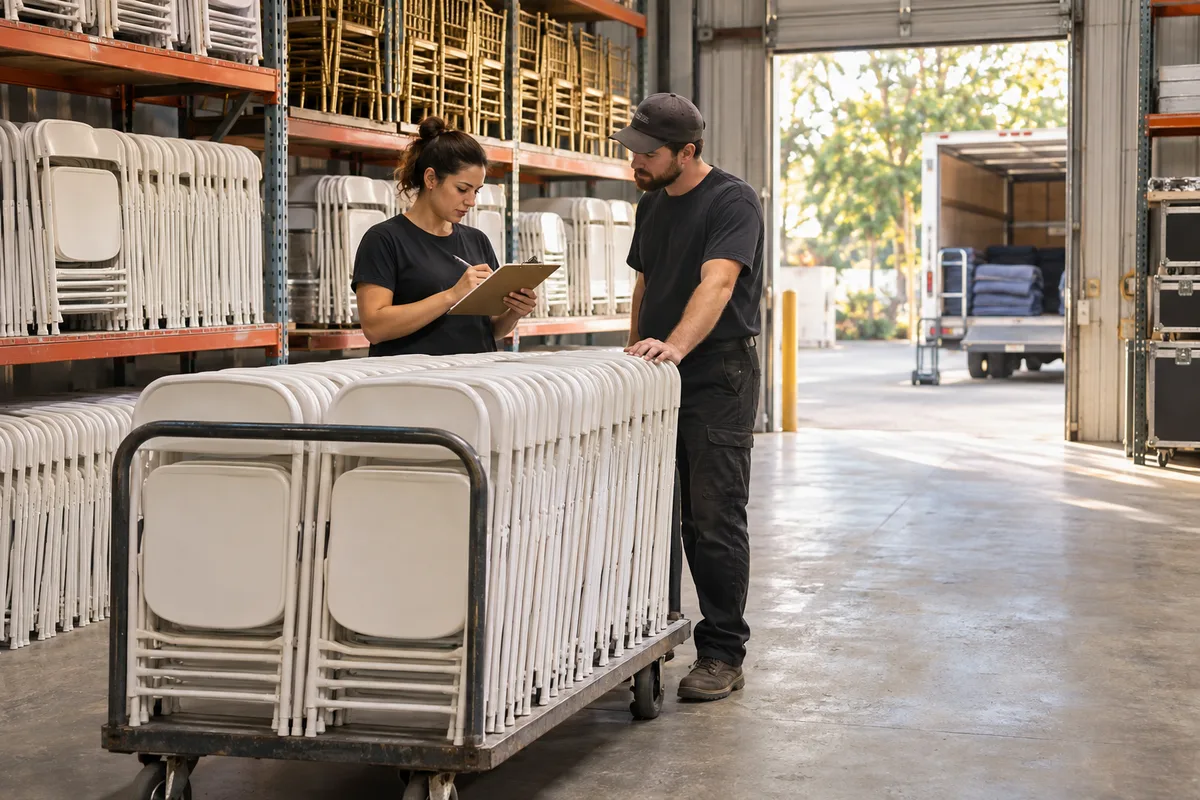
Ask the crew to find the most recent record under time pressure
Have a driver open an earlier copy of the run sheet and ask where they would look for the latest information. The comparison can be as simple as timing how long it takes to find the venue, unit count and return time on a phone. If the booking details are clear but the driver has to open a different page to see an updated schedule, count that as a step and try it again with the route they will use most often. The goal is to understand which work staff can do quickly and which tasks need a reliable handoff from the office.
If the system describes limited-connectivity behavior, test it with an assigned order using the environment the vendor supports. Pick a harmless action such as viewing the itinerary or preparing a note for later sync. Check whether staff can tell if the information is up to date and whether a saved change reaches the office when connectivity returns. If an action requires a connection, write down what staff can use to reach dispatch and how they will reconcile anything they recorded away from the app. Do the same trial on a device the crew actually uses.
Invite the warehouse worker and the person responsible for customer replies to identify the most likely point of confusion. During the venue-change example, the warehouse may need the new item count ahead of the driver, while the office needs a clear customer confirmation before calling the order ready. Record which screen or notice handles each step. When comparing products, count separate steps someone has to remember as well as the time they take.
Keep the comparison tied to what someone observed
Use the same worksheet for every trial. Put the task, expected result, observed result and any manual follow-up on each row. Add the role that ran it and the information they used to tell whether it worked. For example, “Saturday job shows the revised venue on the driver's phone” is an observation. “Supports delivery management” doesn't tell the team how it handles that change. Save test records or screenshots with fictional customer details if you need to revisit where the information appeared.
Decide which results are required for your shop now. A business with one vehicle may be able to handle a manual route check as long as booking changes are clear. A shop sending different crews to several venues might need a dependable way to show updated instructions to each assigned person. For each workaround, name the employee who would do the extra task and estimate how often it would occur. A workflow that works once on a slow afternoon may require too much attention at the busiest pickup window.
Record how the business could recover data or work through a transition. Ask for an example export of bookings, customers, products and payments that the trial can legitimately show. Check whether the output includes dates and item quantities that let the office recognize the test order. If agreement records, receipts or notes export separately, note how they connect to the order. Understand what training, setup and ongoing use would take before choosing based on the fastest demo.
Verify which costs and dependencies the trial assumes
Write down the configuration used for each demo. If the trial included a separate route planner, electronic document service or payment connection, list it beside the task it enabled. Ask whether the quote covers the number of staff and vehicles you expect to use and which setup steps will be completed before the first booking. A test where a vendor representative imports the catalog in advance can still be valuable. Ask for the import instructions and check how the shop would correct a product quantity after launch.
Bring a realistic example of growth into the cost conversation. Suppose the shop adds a second route on weekends and hires another person to handle calls. Check which accounts those employees need and whether the price changes as more orders pass through payment, scheduling or messaging. Record the available evidence about recurring charges and one-time setup. Use the same assumptions for each vendor so the owner can see which tasks the business can support at the expected cost.
Repeat one change with the people who would run it
End the comparison with the same two examples across the shortlist. In one, the venue and delivery window can change and the extra unit is available. In the other, adding the unit would create a stock conflict and staff need to keep the existing order or discuss an alternative. Have someone perform both examples using their normal role. Confirm that the customer, office, warehouse and driver can each see what they need when their part of the job begins.
Make the decision from the work your business needs to do routinely. Look at how the shortlisted systems handle the first inquiry, current availability, the changed order and the return. Check which options are included in the current quote for the plan and which require another tool or manual process. Record any trial limits that prevented you from verifying part of the path. A booking workflow earns its place when the staff who serve the event can keep one reliable account of what the customer reserved and what the crew has to deliver.