Reserve maintenance time before taking new bookings
Block service time on the rental calendar, plan for delayed work and verify which equipment is ready before accepting orders.
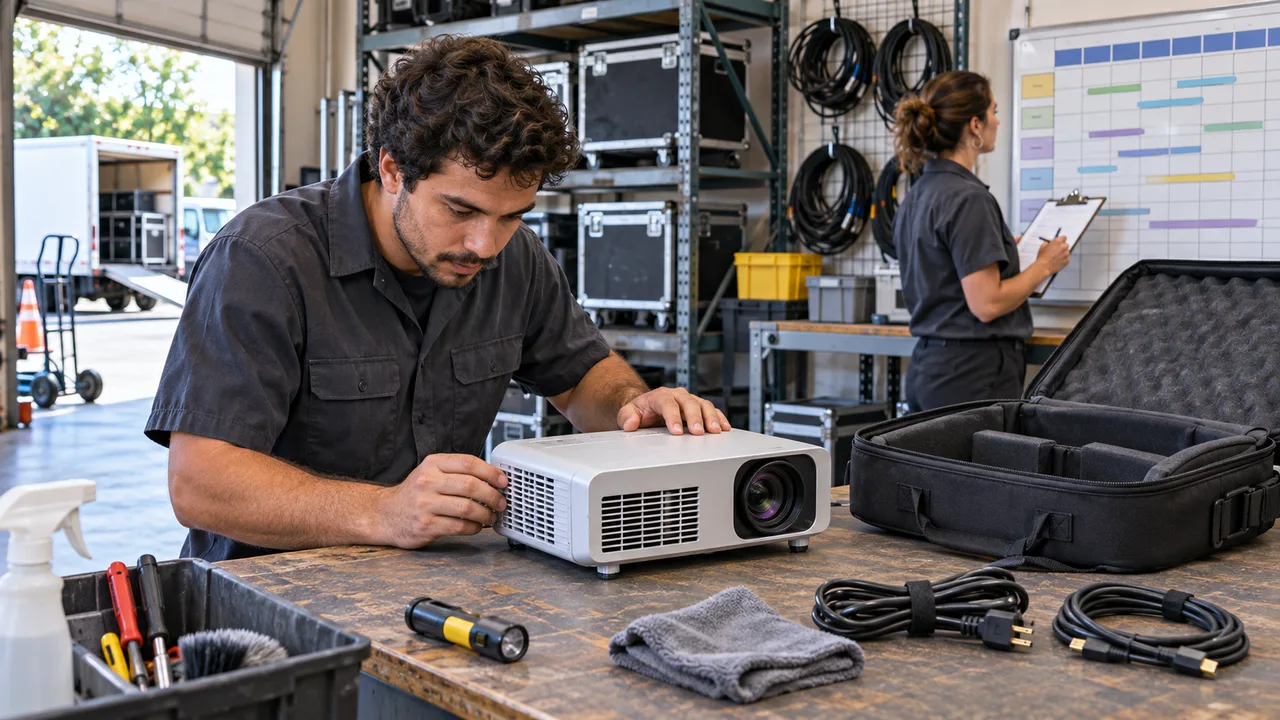
A Saturday pickup looks open until the warehouse points out that the reserved projector is due for a service check. Moving the check could also delay the Sunday order that depends on the same case. Reserve maintenance in the same planning process that makes equipment available for rent. The order desk needs to see which pieces can leave, and the service team needs a real interval to complete and verify the work.
Start by looking at one group of equipment that already has a recurring service routine. Choose a week that includes a return, a new pickup and an inspection or service task the team can observe. Write down when the gear actually becomes available for the next customer. Compare that with the first time the booking system would offer it. The difference tells you where to add a stock hold, adjust a turnaround window or change the handoff into the service area.
Separate recurring service from everyday turnaround
Many rentals need a quick check or cleanup after every return. That work belongs in your normal turnaround when it happens predictably. A longer service window may be needed for a task scheduled by your team's equipment guidance, a condition issue or a planned visit from a technician. The warehouse should be able to tell which process applies and how long the equipment will be unavailable. Give each a distinct label that staff can recognize on the order calendar.
Use practical examples. Folding chairs might need a normal check for loose parts before returning to a ready rack. A particular damaged rack of chairs can go to a separate work area under a service record. An AV case may be physically present but missing a component required for its next booking. The inventory result should reflect the pieces that can actually go out under your usual readiness rules.
Identify what starts and ends the window. It may begin when an item leaves ready stock or when a technician needs exclusive access. Schedule the return to availability after repairs or inspection are confirmed by the appropriate staff according to the normal procedure. Use a planning time while work is pending and check what the schedule does when that time arrives. An expired estimate is a reason to review the item if there is no verified ready result.
Put downtime where a new reservation will see it
Match the maintenance hold to the inventory being worked on. If two of ten units need attention, hold two unless the work also prevents access to the rest. For a uniquely tracked piece, use the assigned asset ID so staff can recognize which case is affected. For equipment held as a quantity, record the product and count. If a service visit closes an entire area, show the location or capacity affected. Give the reservation desk enough detail to explain the next available option.
Confirm how the normal booking flow uses the hold. Try a request that would succeed with all units present and fail if the serviced units are excluded. Check during the impact window, just after the scheduled release and on a nearby unaffected day. For one event that includes pickup, delivery and collection, compare all dates relevant to the equipment. A truck may need to load well before the customer receives the items.
Add the pickup location or staging area to the maintenance record when it changes where the item can be used. Equipment waiting at a repair shop is still owned but unavailable at its normal site. A person quoting from another branch may be able to offer a different unit. Show where the remaining capacity can actually be collected or loaded. When a replacement moves between locations, confirm both assignments and both time windows.

Schedule the work with the service team
Start with the service tasks your business is already responsible for doing. Work with the appropriate staff or supplier to identify timing, parts, tools and the period needed for a readiness check. Review rental history for patterns in when the equipment returns. Pick a window that has the expected time and space without assuming an afternoon gap is always long enough. If a process needs a second person or an outside appointment, confirm that resource before offering the next rental.
Consider split holds for a fleet with several equivalent pieces. Servicing two units at a time can leave more capacity than putting six aside together, provided the technician can handle separate visits and the business can track which pieces are ready. Compare recurring booking demand with the planned work. Document why a given week was chosen and which equipment can cover an order while a unit is held.
Plan a realistic buffer where work has uncertain timing. A part could arrive later or the inspection might uncover another issue. Use the shop's estimated scope and ordinary handling time when choosing a return-to-service target. Ask who will review the date if the work is still open. The person who sees the maintenance schedule should be able to notify the quote desk before the next customer's options shrink.
Review existing commitments before placing a new hold
Open upcoming reservations for the affected equipment. If a routine service task overlaps an existing commitment, check when the item is expected back, whether an alternative can be assigned and which dates genuinely fit. For an item that needs unplanned service, record the condition and apply the business's normal out-of-service procedure. Use the resulting list of affected bookings to begin a customer and dispatch review.
For an ordinary reschedule, first identify a suitable replacement and see whether it is committed elsewhere. Compare the pickup location, accessories and capacity needed by the customer. An alternate unit may require a different case, power supply or vehicle arrangement. Check the entire order before proposing a substitution. Confirm changes with the appropriate person and update the warehouse list and route after the decision.
Give every affected booking an owner and an action time. If the shop expects a part late tomorrow, the coordinator may need to contact the customer that afternoon with a confirmed alternative. If another employee needs to review the order, give them the repair estimate and what alternatives were already tried. This can keep a maintenance estimate from turning into a last-minute delivery call.
Use a small set of states the booking desk can understand
Give the warehouse a clear distinction between service scheduled, in work, and ready after review. Add a separate status or note for a unit waiting on a part. The person offering dates needs a useful expected time and an owner for a change. Avoid making the booking desk infer readiness from a completed invoice from a supplier. A service vendor may have finished a repair while the unit still needs to return to your warehouse or be matched with its case.
Attach practical details to the work record. Include the reported issue, asset identifier, responsible person, planned start and estimated finish, and instructions for the readiness check. Keep the record of what was actually completed, when the unit returned and who confirmed it. Photos or a supplier work note may be useful when they help staff distinguish what changed. Keep ordinary access limited to the records staff need for the work.
Walk a new employee through a question from a customer who needs that item on Friday. The employee should locate the reason it is held and see which alternate is available. If the item has a scheduled release Thursday afternoon, they should be able to check with the named person before making a promise that relies on the estimate. Give sales staff language for an option that is still pending and a confirmed option they can offer.
Work through one calendar with an extended service window
Imagine a small presentation rental fleet with four projectors. All four have the same expected use pattern, but one, identified as AV-012, is due for its planned inspection after a Tuesday return. The equipment team blocks Wednesday morning and expects to finish Wednesday afternoon. Two of the other units are reserved for a daytime conference and one is available during the service window. A Wednesday inquiry for two can be offered one unless another suitable unit can be confirmed.
During the inspection the technician finds that the supplied power lead needs replacement. The usual replacement is in another branch. The technician tells the shop coordinator, who extends the unavailable window and assigns someone to check the new lead. The booking office reviews Thursday first because AV-012 was expected to go to a customer then. A unit returning Wednesday evening looks like a candidate after its inspection. Dispatch confirms the needed accessories and agrees on the revised staging plan with the shop.
The extended maintenance work is still visible in the calendar after the other projector is reassigned. When the part arrives, the responsible worker completes the check and records which equipment is ready and where it can be staged. The office confirms that future quotes reflect the new capacity. Ask a coworker to use the booking history to explain why Thursday's job used another unit. This shows whether the scope and the timing found their way to the next person.

Plan for a unit that comes back between shifts
A service task may begin near the end of a day and finish after someone else takes over. Choose a visible place for equipment awaiting work and make sure the handoff names who is responsible. If a part or tool is brought to a separate bench, keep it associated with the unit so it can be found. When staff change shifts, they should be able to find which item is waiting, which step is done and whether someone needs to open the hold again with a revised expected finish.
Consider a Thursday return at 6 p.m. and a Friday pickup at 8 a.m. An overnight gap may appear long enough on the booking calendar while no technician is scheduled during it. Build the service plan around the time people can actually work. If a separate team handles early staging, provide a visible list of holds that could affect morning bookings and a way to ask about a substitution. A longer period is sometimes needed even when the service itself is brief.
Close the work and verify the next reservation
After completing the service work, check the asset under your normal readiness procedure and update its current location. Close the planned window using the real release time. Make sure the reservation view reflects the result and review any booking previously moved because of the hold. The temporary replacement may already be confirmed with the customer, so check the actual order before moving anything again.
Look at what the product needs before loading. If a projector goes out with a case, remote and cable kit, verify that its parts are together. If chairs are held in stacks or units, confirm the quantity that passed and the quantity still waiting. Keep unavailable items out of the staging list until the assigned role completes the readiness step. A closing action should give the next employee a sensible result whether all or only some stock is ready.
Verify the changes from the perspective of someone quoting the next job. Run a test inquiry using the same requested interval and warehouse. If the schedule shows that the serviced unit is ready but the salesperson sees no availability, check for a remaining hold or packing restriction. If the unit appears online before the shop's check is complete, identify which record the booking view reads and arrange for the right person to reconcile it. A normal case and a delayed case are both worth testing after changing the process.
Audit planned downtime after a busy week
Review the maintenance holds that ended last week alongside the bookings that overlapped them. Note whether the work finished within its window, how much usable capacity was lost and whether any customers needed a change. Use reason categories the team can act on, such as parts waiting, equipment still out, inspection waiting for a second person, or the item assigned elsewhere. Keep the distinctions visible so an employee reviewing the schedule can find the actual constraint.
Compare estimates with the time marks your own team records. If a routine task takes one hour but the unit spends half a day waiting for a bench, changing the planned wrench time will miss the cause. Ask if the technician needs a dedicated receiving time or if staff can deliver ready equipment earlier in the shift. A change to the workflow can return more capacity than changing only the calendar label.
Review whether a service slot regularly blocks the same high-demand time. It may make sense to move planned work to a quieter window or plan access to a compatible backup. First confirm that the equipment can be maintained at the new time under your existing guidance. Ensure the change gives staff time to do the work and doesn't leave the office promising assets that are already assigned. When a shop's normal work varies during a season, revisit the expected dates before opening new capacity.
Make the next hold usable by the whole team
Pick an owner to check the routine service calendar before a busy month. Give them a short set of records to compare, including the expected return, upcoming reservation, workshop availability and the normal release requirements. Agree who handles repeat service dates and who contacts customers if work runs late. Put those names or roles in the place employees already check when they stage an order.
Rehearse one delayed repair and one service task that finishes early. For an early completion, verify the ready status before offering the unit and make sure the crew knows where the equipment is staged. For a delay, update the expected window, identify each affected booking and reserve any alternative through the usual process. End the rehearsal with an ordinary unaffected booking so the team can see whether it still has a straightforward way to work.
Keep a short note about the work completed with the asset after it returns to service. When a similar issue appears later, staff can see whether the unit last needed a replacement part, a longer check or a different storage arrangement. A maintenance schedule is working when the technician has the time to finish, the reservation desk knows what it can offer and the warehouse can explain which equipment is ready for the next truck.
Check the same arrangement after adding a new asset or service provider. The new item may fit the same category in the storefront while taking a different amount of time to inspect or return from a repair shop. Update the service plan before it is assigned to an order. Have the inventory owner compare one potential booking and one existing booking to make sure both see the right capacity. Setting that routine early gives the shop a place to record timing that differs from the rest of the fleet.
A short monthly review can catch work orders that have been left open after completion. Compare the physical service area with the holds still on the calendar. Ask the person who completed the work to confirm the release where needed. That helps the business recover ready capacity while keeping unresolved jobs visible.