Identify small rental items with kits and count sheets
Organize small rental accessories with labeled kits and count sheets, then reconcile missing or substituted parts at return.
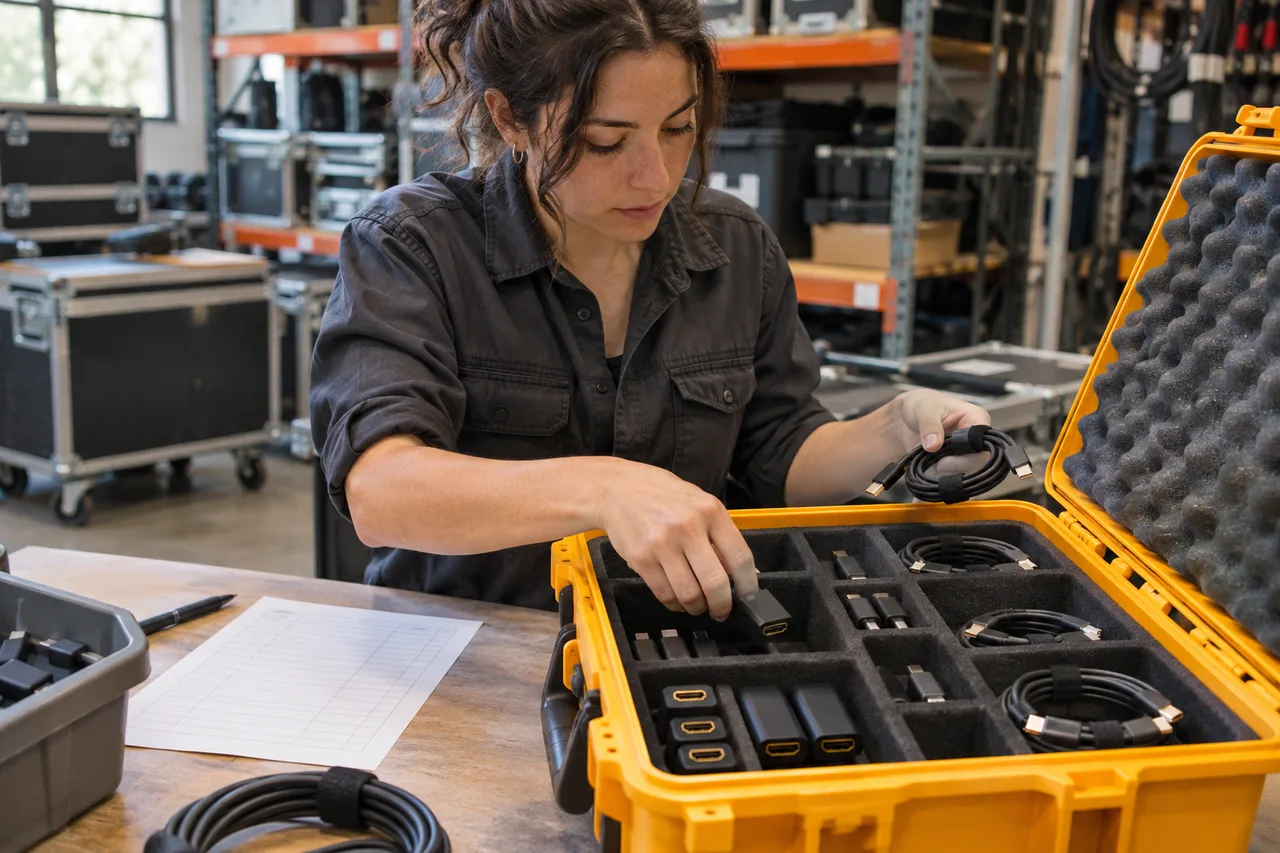
A projector can come back in its case and still be unavailable for the next customer. The remote might be missing, an adapter could be in the wrong bag, or the power supply may fit a different model. Tagging the projector tells you which main item has returned. A kit and a practical count sheet tell you whether it can go out again. Use the two together to keep small accessories visible from packing through return.
Begin with the set you most often have to reopen after staging. It might be a portable speaker kit with cables, a backdrop frame with clamps, or a lighting case with several adapters. Watch someone pack it and someone else check it back in. Pay attention to the parts they hold in the air to ask, “Is this the right one?” Those are good places to improve the physical layout or the description on the sheet.
Decide where to count a piece and where to identify it
Start with the work that depends on each item. An ordinary cable that is compatible with every unit of a type might only need a name and quantity. A remote paired with a particular machine might deserve a visible identifier in the case and on the list. A small accessory that can go out on its own may need its own reservation count. Ask who makes the next decision with the record. If the warehouse only needs two working cables in each case, an individual label on every identical cable may create more work than clarity.
Write simple rules for substitutes. If you stock two interchangeable brands of an adapter, use a functional description and confirm which specifications make both acceptable. If one cable is longer because it connects across a stage, name its length when it matters. Keep different connectors and look-alike parts in separate spaces. A count of two power supplies doesn't help if neither fits the two items going out.
Separate reusable parts from items intended to be consumed or kept by the customer. The pick list can still show that a kit leaves with a packet of approved batteries or other supplies. The return sheet can make clear which pieces the crew expects to count back. Review how you describe included quantities in quotes. That gives the customer a clear expectation before pickup and gives the warehouse a basis for the next refill.
Give the case a layout that tells people what belongs there
Set the largest items in place first, then choose a home for each group of accessories. At a glance, the packer should be able to see where the controls, leads and adapters belong. Use pockets, small containers or dividers that survive ordinary transport. Put an identifier on each pouch and an easy-to-read name inside the lid. A useful label can be read with the case on a staging bench without taking everything out.
Try the layout with the case open the way staff normally use it. A diagram on the inner lid works if it stays upright. A small reference card may be better when cases stack or work happens from both sides of a table. Use a simple photo or outline where it helps staff distinguish shapes. Keep a written short name and expected quantity near the image so the layout remains usable when colors or packaging change.
Check how the case closes after using the new dividers. The cables should fit in their pockets in the way staff actually coil them, and the sheet or card should stay legible after a few trips. Ask the return team to pack it without tips from the person who designed it. Watch which part gets squeezed into a spare area. Adjust that space or change the naming before applying the same system to several cases.
Build a count sheet that answers the next question
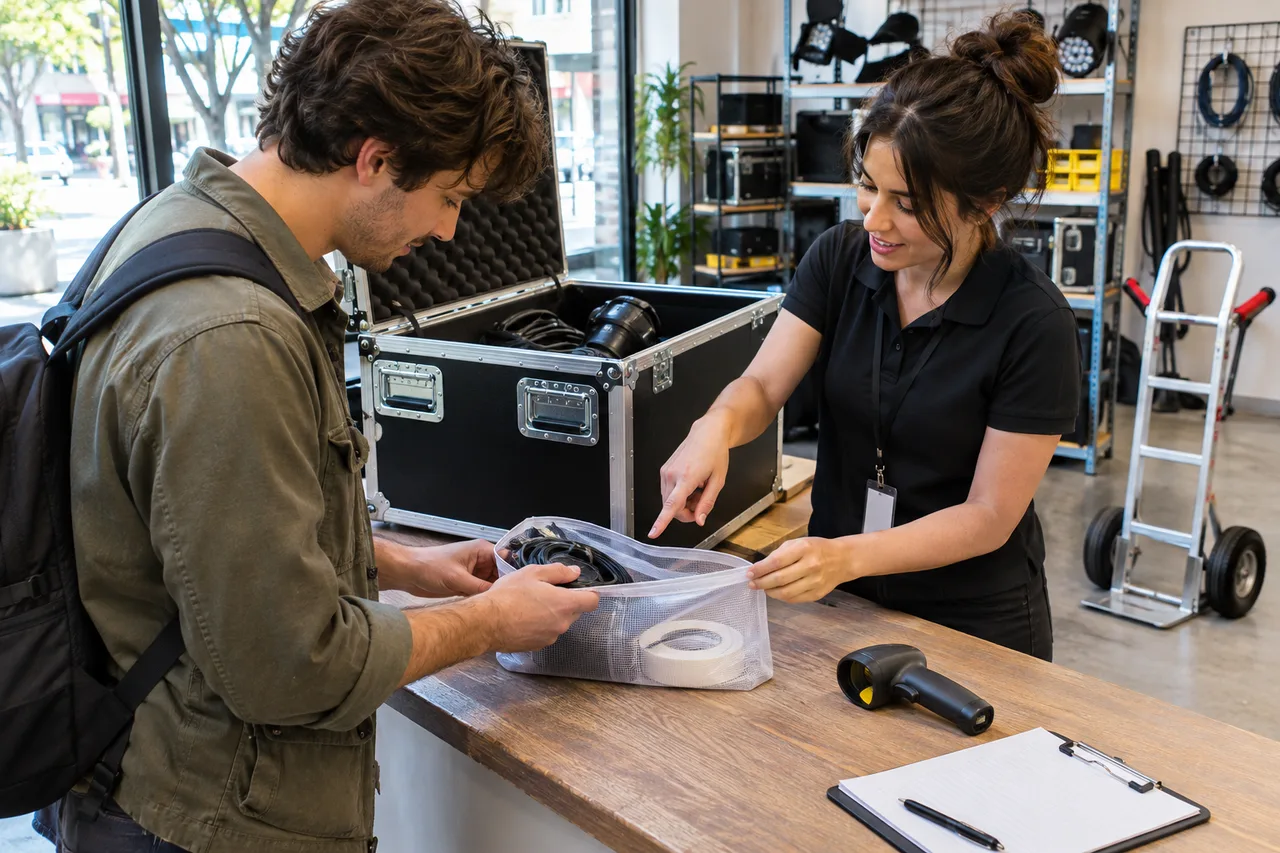
Start the sheet with the kit name, revision and case identifier, if there is one. Each row can show the item name, its location in the case, expected quantity and enough description to avoid confusion. Provide a place for outgoing and received quantities. If items are easily confused, include a model or description that can be checked without opening a separate manual. Keep exceptions and the name of the person handling them visible near the counts.
Use counts the next employee can interpret. A single checkmark might mean the cable was observed, that the packer tested it, or that the worker only counted the pouch. Pick one meaning per action. For important items, record literal quantities. If a connection or condition check is needed, give it its own field or step. In a busy return, the counter may find every part while a technician still has to test the main unit before the kit is available.
A paper count sheet can work for a single bench. Keep a current master and make the revision easy to spot. If your team stores the sheet in the reservation record, give staff a fast way to open it from the kit or booking. Make room for counts to differ between outgoing and return. An office coordinator trying to solve a question about a missing adapter should be able to find the discrepancy on the order that actually went out.
Choose the stock rules before selling a kit and its parts separately
If one box always holds one complete set and staff never lend the accessories independently, you can count the assembled kit and check its contents each time. The inventory count for that kit should include only sets that are ready for a booking. If thirteen cases are on the shelf and two are waiting for remotes, the ready count is eleven. Give the incomplete cases a visible position or status, and record which piece blocks them from returning to service.
If the same part is shared by several kits or offered as a standalone rental, use one view of the available stock. Imagine six presentation kits and eight long HDMI cables. If a job takes four cables on their own, you can prepare up to four kits with a long cable until enough cables are returned and checked. The kit and standalone bookings should draw from the same pool. Otherwise both parts of the catalog can promise the last cable.
Document normal substitutions and where you keep spares. A drawer with compatible parts is useful if the warehouse can tell which drawer quantities are available, which belong to existing orders and which need inspection. Avoid taking a piece from another prepared kit unless the order and stock views both reflect the transfer. A small gap easy to fix today can become a missing part on the next truck tomorrow.
Practice a complete sign-out with a portable presentation kit
Say your kit includes a projector, paired remote, power lead, two video leads and a compatible adapter. The packer checks the projector identifier against the reserved item. They put the remote in the narrow lid pocket, the power lead in its marked bay, and the video leads and adapter in a labeled pouch. The sheet calls for one remote, one power lead, two video leads and one adapter. The packer verifies condition using the normal procedure and records what actually went out.
The customer is using a computer that needs an extra approved adapter. The counter employee adds it as an order line, explains which pouch will hold it and adds it to the outgoing record. The base kit can keep its standard list because the booking shows the extra part and its expected return. If a spare cable was supplied as a substitute, say which cable went out and whether the expected quantity stays the same. The return team can read these details when the packer is on another shift.
At handoff, walk the customer through where the small pieces travel. Keep the conversation short. Show how to check the remote pocket and the video pouch before returning to the rental counter. If the customer is taking several cases, show how the case labels relate to the order and which pieces are expected back in each one. That makes it easier for someone else at the venue to pack the items at the end.
Handle what comes back short, damaged or in the wrong case
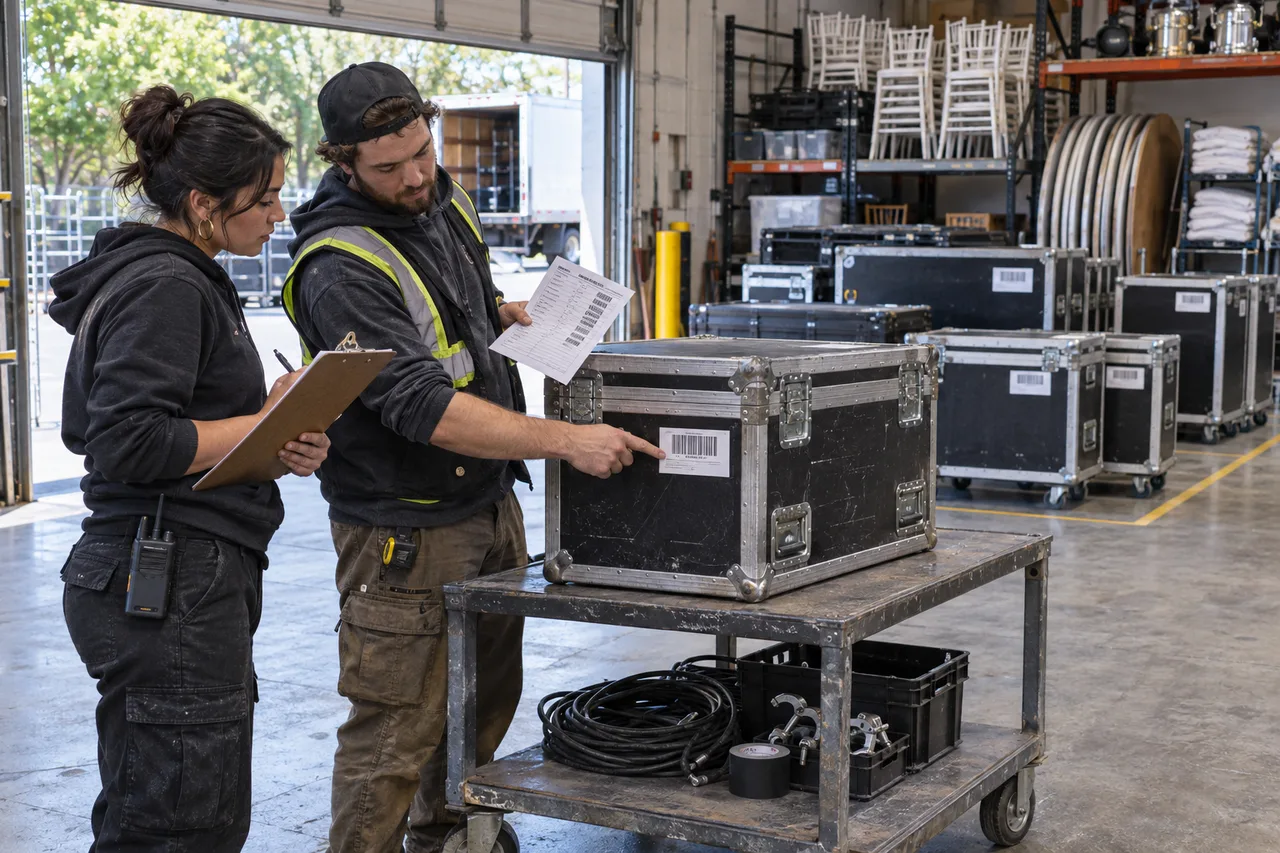
Open the kit in a place where loose items can be separated from other returns. Read the case identifier and pull the record for that outgoing order. Compare the listed quantities with what is present. If a part is missing, record which one and whether the count is definite or still awaiting a second case. If something looks damaged, move it through your usual inspection process and record whether the kit is ready. A returned case and a rentable kit can have different statuses.
Imagine the projector case comes back with both leads and the adapter but without the extra adapter. The counter employee checks whether the customer has another case to unload. If the part remains missing, they record the shortage and ask the assigned office role to follow up. The stock lead confirms whether the base kit can still be prepared for a later booking. If the paired remote were missing, they might keep the projector kit on hold instead. The team needs that distinction to make the next promise.
If the wrong remote is in the pocket, note what came back before returning it to stock. A second kit may be in the same return batch. Check order records and case labels to find the expected match. Have one person reconcile the kits after comparing both physical items. Add the case or batch reference to the return note. This can resolve a mix-up without creating two unrelated missing-item reports.
Make revisions usable on equipment already in circulation
One kit might come back from a weekend while another stays out for a conference. You could improve the packing layout in the warehouse before both are back. Keep a revision on the count sheet and on the case card. Keep the outgoing instance attached to the reservation so the intake employee can see what a customer received. A revised master list applies to the next prepared kit after staff update the case and verify its contents.
Introduce a change in a predictable order. Replace or relabel the affected compartments, update the list and train the counter team on how to describe the change. Pull one case following the new sheet, then check an older case against its previous booking. When both checks succeed, update the rest by case or shelf. This is easier to control than handing a new sheet to every employee while labels still show an earlier layout.
When you remove a kind of part from circulation, decide which job will handle remaining stock. A spare for an older model could belong in a marked repair drawer, while a worn component may need to go through a retirement process. Update any starter stock counts used by the quote desk. A good physical layout makes an unexpected piece easy to see, and a clear record tells employees what to do with it.
Check whether the system helps at busy times
Use two or three weeks of ordinary work to judge the change. Record how many kits are reopened after staging, which accessory shortages delay the next booking and how many minutes staff spend resolving each one. Ask the person preparing orders to name which cases are complete at the end of a shift. Ask a different person to locate a short return and decide what can go back on the available shelf. Those checks reveal whether the record helps the team take a next step.
Look for patterns. If the same pouch routinely comes back empty, the customer may need a clearer handoff or a more visible place to store it. If staff count the correct number of pieces but grab the wrong type, improve the label with the connector or model. If kits become hard to refill despite having plenty of parts on another shelf, check whether the warehouse has a reliable location and restock routine. Make one change and compare the next set of bookings.
Work from a small set of high-friction cases first. Expand to another type when a packer and a receiver can both use the same information. Give the next kit a dedicated layout according to what it contains. A hardware kit may need rows of identical pieces with quantities, while an AV kit may need a clear location for a particular model. The standard is that staff can explain whether the kit is complete, what is missing and what the business can offer the next customer.
Set up for a new employee on a busy morning
Let a new hire use the case card and count sheet to pack a practice order. Watch without giving hints about which pieces usually hide under a divider. Ask them to choose which line they would use for a different approved adapter and which label would tell them where to put it. At return, hand the practice kit to another coworker with one component removed and one piece added from a separate kit. Ask them to explain how they would record both discoveries and where they would stage the case.
Give a lead responsibility for updating the list when standard contents change. Put extra printed copies in a place staff can find them, or show where a current digital copy is opened from the bench. Review discrepancies at shift handover so the person preparing tomorrow's orders knows which sets are ready. The process is doing its job when any trained worker can move a case from return to ready condition using the same list and the visible stock.
Keep per-order extras easy to reconcile
Special requests can make a kit harder to recognize when the parts come back. Decide where to put extras for an individual booking and keep the default compartments consistent. If you provide extra clamps for a wide backdrop, put them together in a labeled bag with the booking reference. Record the bag and quantity before the case leaves. At the return bench, the employee can check the default case first and then reconcile the separate bag against the outgoing record.
For an order that uses several cases, designate where shared spares travel. If one event carries its own backup adapter kit, avoid listing that backup in every case unless it really exists there. Tell the person responsible for pickup which case contains the shared parts. When crews are collecting in stages, mark which cases have arrived and review their actual contents before releasing any of the pieces. That keeps the record useful even when one vehicle unloads before the other arrives.
If you routinely send several kits on one order, try a final check from the loading lane. Confirm that each case label and extras bag matches the same destination and that the crew can tell which box contains the shared piece. Check the process again during the next split return. A list that works at both ends of the trip saves the warehouse from opening every case to find one accessory.