Define what belongs in an equipment rental agreement
Build an equipment rental agreement with the accepted scope, accessory list, service details, changes and return requirements.
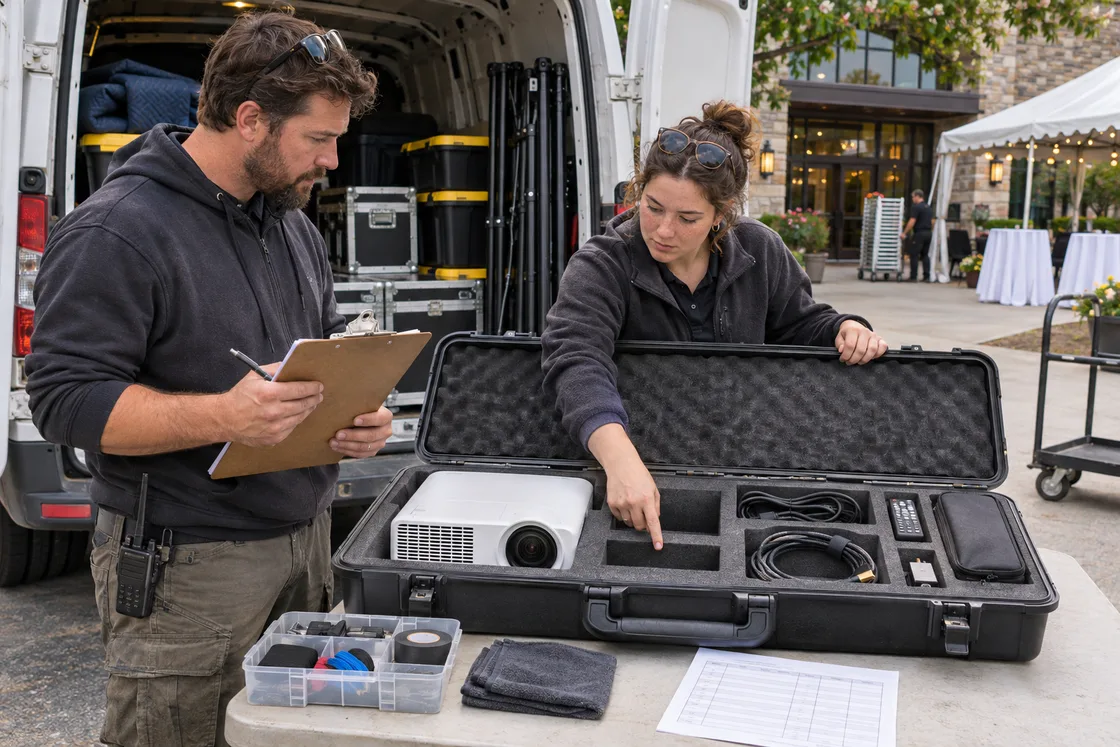
A conference organizer rents a projector, stand, screen and adapter kit. The projector goes into one case, the cables into another, and the stand is stored in a separate part of the van. At pickup, a second employee receives three pieces and marks the order complete. One adapter is still attached to a venue laptop. The office can resolve the exception if the rental agreement and its equipment schedule identify which parts were included, when and where they were expected back, and which return record belongs to the order.
An equipment rental agreement is a working packet. It records the order both parties accepted, the terms that apply, and the relevant records needed to hand over and recover the equipment. A small pickup may need only a short schedule and the approved terms. A large delivery might need an access diagram, staff arrangements and an amendment. Build the packet around the actual equipment and sequence of custody, and have the terms reviewed for the business and location.
Start with the parties and the rental window
Identify the rental company, the customer and the person authorized to accept the agreement. Record the rental’s applicable address, intended use where relevant, and the point of contact for logistics. An office purchaser, venue manager and individual collecting the equipment can be different people. Define what each person can approve and how to reach the appropriate contact without disclosing information others don't need.
Describe the start and end of the use period separately from handoff and return windows. For instance, conference equipment may be delivered on Friday from three to four, used Saturday from eight to six, and collected Sunday from nine to ten. The rental team needs those times and the venue’s loading hours. The customer should understand when the equipment can be used, when it must be ready to hand back and how to request an extension.
Use the event’s actual local time and include a reference the business can use across documents. Include both the venue and the return location when the customer is responsible for handback. Some pickups happen at a different warehouse than the dispatch branch. If the equipment changes location during use, specify the approved scope or the process for requesting the change. Give staff a way to check that the proposed use and location have been reviewed before someone releases it.
Capture contact and approval information that will remain valid through teardown. If someone else is meeting the crew after the event, document how they are authorized and how the office can verify a last-minute change. Avoid printing broad customer information on worksheets that will be left on a loading bay or in an unattended truck. Staff need a useful work document with the level of detail appropriate to their role.
Build an equipment schedule the warehouse can verify
List the requested items by meaningful model or description, quantity and any important option. If the customer rents a projector kit, identify the compatible kit, the screen size and stand, and which power or signal cables, remote, case, and adapter pieces travel with it. Where a detail affects compatibility or the customer's plan, include it in the accepted schedule. For bulk groups, show the type, color or finish and quantity instead of relying on a broad catalog label such as “chairs.”
Work out when to add asset identifiers. A quote may describe a particular model without reserving an individual serial number until staging. At handoff, the warehouse should be able to show which unit actually went out. The customer should have a way to verify the assigned item and included accessories. Put the actual dispatched IDs in a handoff record linked to the accepted scope. Define how authorized equivalent replacements are recorded and when the customer must approve a substitution.
Include any accessories that will be counted and describe usable packaging. Say what must come back in which case, cart or container. If parts look similar, a photo and a short description can help staff and customers distinguish them. A case with a fitted insert may show where compact pieces belong. Label the relevant component consistently in the schedule, on the case and in the return checklist so the team can handle a discrepancy.
Keep the accepted quantities and warehouse details connected when someone adds equipment. If a customer wants another adapter because a speaker was added, update the list through the appropriate approval path. Give the next clerk a clear view of what was promised, allocated and actually released. A good handoff sheet can show that an approved replacement was used without rewriting the original line as if there had never been another allocation.

Describe services, access and responsibilities
Say what the rental business delivers and at which point that task ends. A staged delivery can include putting cases into a specified room. An installation can include approved assembly and a handoff with the person who runs the event. A collection might require equipment to be repacked and waiting at a particular door. Give each service a short line and put any specialized conditions in the agreed attachments.
Describe what the customer or venue must provide. Make this concrete for your service. It can include an approved route from the truck, an open building, approved utility access, correct surface or space, required permits or a named site contact. Use the equipment instructions and requirements that apply to the event. Clarify who verifies each prerequisite. A promise of “easy access” is hard to compare with the actual door, path and timing your crew needs.
State the approved scope of operation. For a presentation kit, that could mean the type of room, connection options and whether an operator is included. For equipment with specialized requirements, give the customer the necessary operating instructions and communicate what use is permitted under the reviewed terms. Provide contact information for questions and the procedure for reporting a malfunction. Keep any specialized approval or required notice attached to the order in a form the business can verify.
Decide who can deal with a change on-site. A delivery lead can document an obstruction and ask dispatch to assess options, while a coordinator may need the person who hired the rental to accept an alternate scope or fee. Include relevant contact roles and the authority required to change the service. If a change cannot be approved, the team should know which existing plan or safety process controls while the office reviews the case.
Record how price, security and changes work
Show the equipment, service and any agreed additional amounts in the accepted quote or the applicable schedule. Include the agreed currency and the amount or calculation for changes where it applies. Place payment dates and the confirmation rule in a visible part of the packet. Make the terms for overdue payment, approved special payers and other exceptions clear enough for an office employee to handle using the actual document.
Explain any equipment security method clearly. The packet can state the amount, the type of payment or authorization, the timing, the return review, and what happens when the shop can release or refund it. If an eligible charge may follow an approved review, document the basis and contact process. Payment processing capabilities and consumer obligations vary. Review the process with the relevant provider and advisers before accepting it from a customer.
Write out the process for extending an order. If a customer needs the projector until Monday, someone must check whether it has already been promised to a second renter and whether a qualified crew can collect it after the original window. Record who can authorize a date change, what amounts apply and when the new time is accepted. Give the customer an updated copy and let the warehouse know which order now controls availability.
Give cancellation and partial reductions clear homes in the agreement. Explain how the renter can provide notice, the applicable cutoff or exact deadline and when a revised amount or credit is calculated. Match the current terms to the payment and reservation records. An order with outside supplies or venue constraints should contain the required order-specific details. Staff will have better information to evaluate a request if those details are available on the version the customer accepted.
Plan for property condition, custody and return
Connect checkout, delivery and return records with the booking reference. At release, document which items were handed over, known condition issues, agreed photos, and who received them. At the return, record which items arrived and when. An after-hours staff member can note the number of cases while a qualified person conducts the appropriate review the next morning. Give your documents a clear way to show that sequence.
Include the approved process for reporting a loss, an incident or equipment that does not operate as intended. Explain whom to contact, the appropriate work or use that should pause, and how updates are handled. Decide how observations are reviewed and who can remove an asset from availability pending inspection. Treat maintenance and financial decisions as separate work. The office may complete a refund while the warehouse still needs a safety check before a unit can go out.
State what condition or documentation is expected for routine returns. If an accessory goes missing, compare the accepted equipment scope and the actual dispatch list. Look for the item in the assigned case and speak with the appropriate customer or venue contact. If an approved return exception may trigger an amount, document what evidence is used and who decides. Record the findings with the order before requesting a payment or adjusting a security charge.
For a complex package, show who has custody by phase. Equipment can be handed from the rental team to a venue employee, moved by a separate staging contractor and returned by the organizer. A written handoff plan can show what each team handles within the agreed scope. Have responsibilities involving significant loss, insurance or third parties reviewed by the people qualified to advise on the agreement and the applicable circumstances.

Include the site survey only where it affects the agreement
A location can create conditions the shop needs to confirm before sending equipment. For a presentation setup, for example, the venue may require a loading appointment, an assigned room and a qualified person to oversee connecting equipment. A site survey can show the access path, equipment space, expected arrival and the party who verified each detail. Agree which entries are commitments and which need confirmation. The venue contact may be able to reserve access while the organizer must approve an added service.
Give the crew a short list of the conditions that require a call before unloading. If a reserved room is unavailable and the replacement has a different path, power access or other material conditions, dispatch can confirm whether the approved scope still fits. Attach a revised plan if the change is accepted. This approach is especially useful when the sales contact is absent on the event day.
Make the survey readable alongside the current scope. Include a date, role and current state for each essential approval. A photograph of a doorway from an old event might help a coordinator ask a question, and a current written approval can indicate which route the crew will actually use. Keep private site and access details within the work records that need them.
If a required site document is missing, set a time for the office to follow up and mark the approval as open. Staff should be able to show what remains before releasing the booking to dispatch. The customer should know which information to send and when the business needs it. A single open item is easier to communicate than a collection of incomplete notes in several booking tools.
Keep the approved attachments and accepted version together
Make a simple document table. Each entry names the order, document or attachment, version and intended audience. Common entries include the approved quote and equipment schedule, applicable terms, venue access details, instructions, approved changes, and checkout and return records. Decide which items must be supplied to each party, which are internal, and who keeps them current. Give the packet a stable link or file name that lets staff retrieve the right order.
Place the full applicable terms where the customer can review them before they agree. If an equipment schedule is revised, confirm that the agreement refers to the correct version. For changes after acceptance, obtain the needed approval and preserve both versions and their dates. At the venue, show staff a current scope and make the relevant amendments easy to find. Keep the records accessible to authorized people under your applicable retention and privacy practices.
If you use electronic signatures, verify who accepted the specific packet and give the customer an appropriate way to retain it. U.S. E-SIGN provisions address use and retention of electronic signatures and records and related disclosures in certain cases. Have the applicable signing and notice requirements reviewed for your activity and location. Test that the accepted record and attachments are reproducible when someone later needs to refer to them. 15 U.S.C. § 7001 on electronic contracts and records
Confirm how a team uses the packet on the day. The driver may see the approved load and site requirements while the warehouse sees serial numbers and the return list. Accounts may need the payment schedule and approved adjustments. Give each role the information it needs and make it possible for someone responding to a customer to find the authoritative terms. A single order reference can connect the work without distributing every detail to every member of staff.
Rehearse the packet with an ordinary order and an exception
Start with a clean return. Ask the person quoting the conference kit to find the agreed list, delivery and collection windows and payment rules. Ask the warehouse to identify the actual unit and accessories and record the release. Then have a second worker receive it and verify counts against the right order. Look at which parts of the document or equipment setup made the job hard to do.
Next, simulate a missing display adapter. Find the schedule that includes it, the actual dispatch confirmation, the outbound and return record, the renter’s agreed reporting instructions and the appropriate escalation for payment or replacement. Confirm that the person making a return note does not need to decide whether a payment is justified. Ask another member of staff to show whether the kit can be booked again before a replacement is available.
Try a late extension and a changed loading entrance. Confirm which details can be modified within the current plan and which require wider review. If the agreement has a proposed change process the booking software cannot handle, work out how to preserve the version and approval evidence before using it. Update the relevant document model when you learn that the shop normally does something the current instructions omit.
Assign the checklist an owner. Review it when a new item, package, delivery service or payment path changes the process. An agreement is ready for everyday use when the customer and staff can trace a real order from acceptance through handoff to return, identify which terms apply at each step, and find the evidence needed to resolve an exception.