Choosing QR Codes or Barcodes for Rental Assets
Track individual equipment through loading, delivery, return, and maintenance.
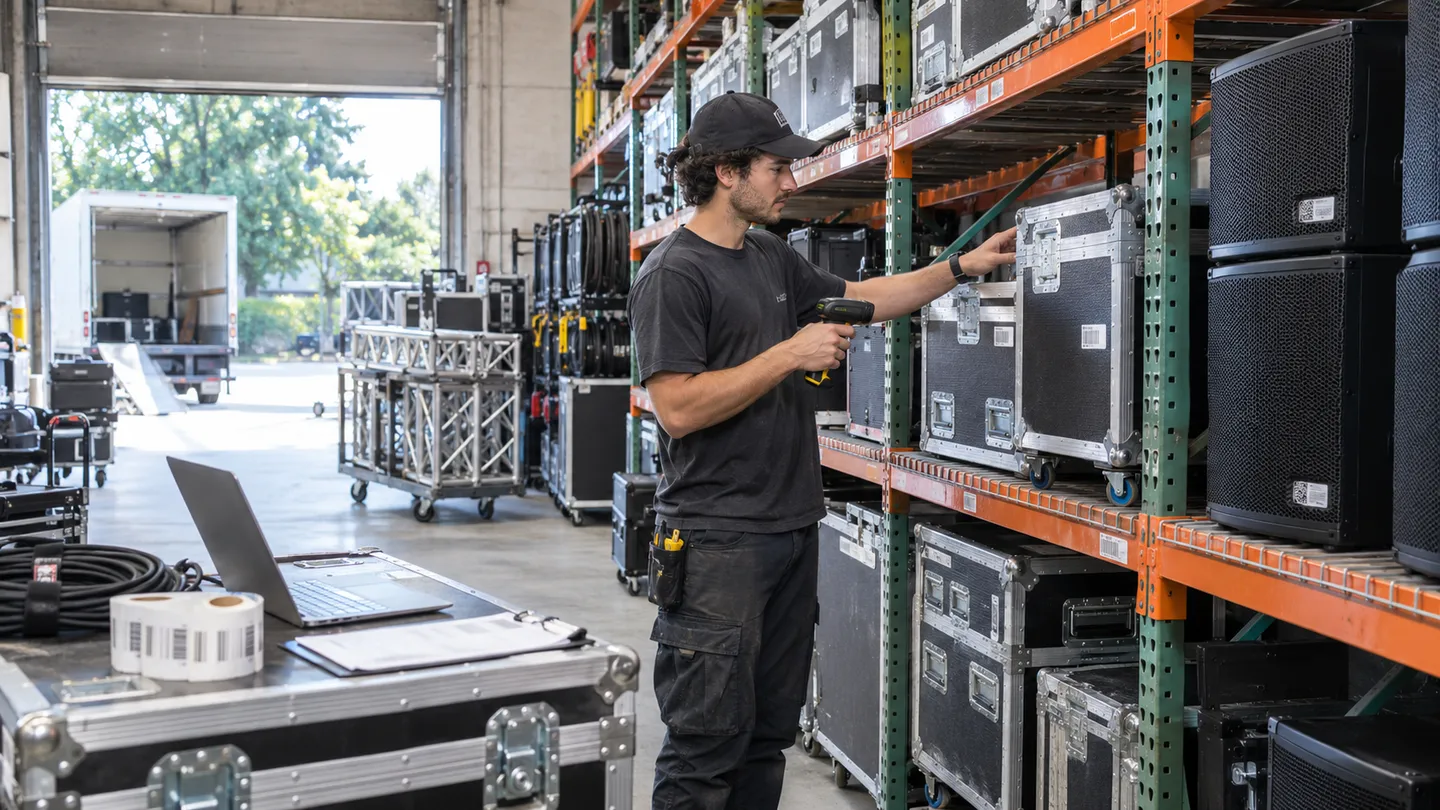
Three black speaker cases sit by the loading door. The warehouse team counted three, the driver loaded three, and the booking calls for three. At the venue, the crew discovers that one case belongs to a different speaker model. The quantity looked right at every handoff. Nobody checked that the specific case matched the order.
An asset label gives each item a reliable identity. A scan can bring up the assigned booking, confirm the model, and record a handoff. It is most useful when you decide what the scan should verify, where to place it, and how the crew should handle an exception. Start with a few assets that regularly cause confusion. The right format is the one your team can read reliably while doing the actual work.
Decide which equipment needs an individual identity
Use individual labels when two similar-looking pieces of equipment have distinct histories or consequences. A generator may have a maintenance record tied to its serial number. Two speakers might use different power or signal accessories. Some inflatable units require documentation tied to the exact model. A trailer has its own service, inspections, and paperwork. In each case, checking the count alone can miss something that matters.
Pooled items can still be tracked by quantity. If you rent hundreds of identical folding chairs and routinely move them in verified groups, individual scans may add considerable work. A cart label or packing group can help staff identify the order, but the system still needs a way to record the count that moved. A disposable cleaning supply usually belongs in a quantity-based inventory. A reusable case containing a full set of costly accessories can be an asset if the set is checked as a unit.
Choose one identity rule for items that frequently move between cases. If staff can remove a speaker and place it in a different case, a case label cannot reliably prove which speaker is inside. You can label both the case and the equipment or treat the case as packaging and label the speaker alone. Write down the rule and test it when a case is damaged and replaced. The history of the equipment should stay tied to the equipment.
Keep different identifiers for different jobs
A product SKU describes a rentable product type. An asset number identifies one physical unit. A manufacturer's serial number may identify that unit for service or warranty. A booking reference identifies the commitment to a customer. These values can appear together on the same screen, but give them distinct labels so the warehouse can tell what it has scanned.
Take two wireless microphone kits under the same catalog listing. You could assign them asset IDs MIC-017 and MIC-018 and keep the manufacturer's serial numbers in their records. Both can rent from the same listing, but the booking records which kit actually leaves. If MIC-018 comes back with intermittent audio, the next crew can flag that unit while still offering the other kit. A new road case or a new display name does not need a new asset ID.
Pick a code based on the devices people will use
A one-dimensional barcode represents the identifier with a pattern of bars. It works well where the team has compatible scanners and a consistent label size, such as a staffed warehouse receiving station. A QR code uses a square pattern and can be read by many phone cameras and compatible image scanners. A warehouse that mixes phones, existing handheld readers, and offline work should test each tool with the code before committing to a print run.
Choose a short asset identifier and print it in readable text next to the code. The text gives staff a fallback when a label is scratched, glare prevents scanning, or someone needs to enter the ID manually. Short text also helps a team verify it selected the correct record after scanning. Use a convention that distinguishes an asset identifier from a booking number. Avoid a format where several similar characters have to be read over the phone to distinguish two items.
Decide what the code contains. It can encode a compact internal ID that an authenticated app resolves. A QR code can instead contain a URL if opening that URL is useful in your workflow. If there is a URL, design for what happens when it is opened by someone who has no staff account. Equipment travelling to a venue is visible to customers. Avoid embedding personal details, checkout links, schedules or admin credentials. A public label can carry an identifier while staff-only information stays behind the normal account boundary.
Compare equipment at the edges of your normal work
Try a large road case with a flat panel, a narrow hand-carried accessory and a piece of outdoor gear that is frequently cleaned. Scan each from the angle your crew normally uses. Check how it behaves in the truck, under warehouse lighting and on a bright day at the venue. If a reader needs a different label position or a larger printed code, find that out before marking the whole fleet.
If you are buying hardware, document which reader and setting worked in each place. A scanner that supports the code in a well-lit office may be less convenient for someone balancing a case at a loading door. Ask a new employee to use the instructions. If their first scan opens the wrong app or creates a search instead of an asset check, fix the path rather than adding a note that only experienced staff understand.
Place labels where the team can inspect them
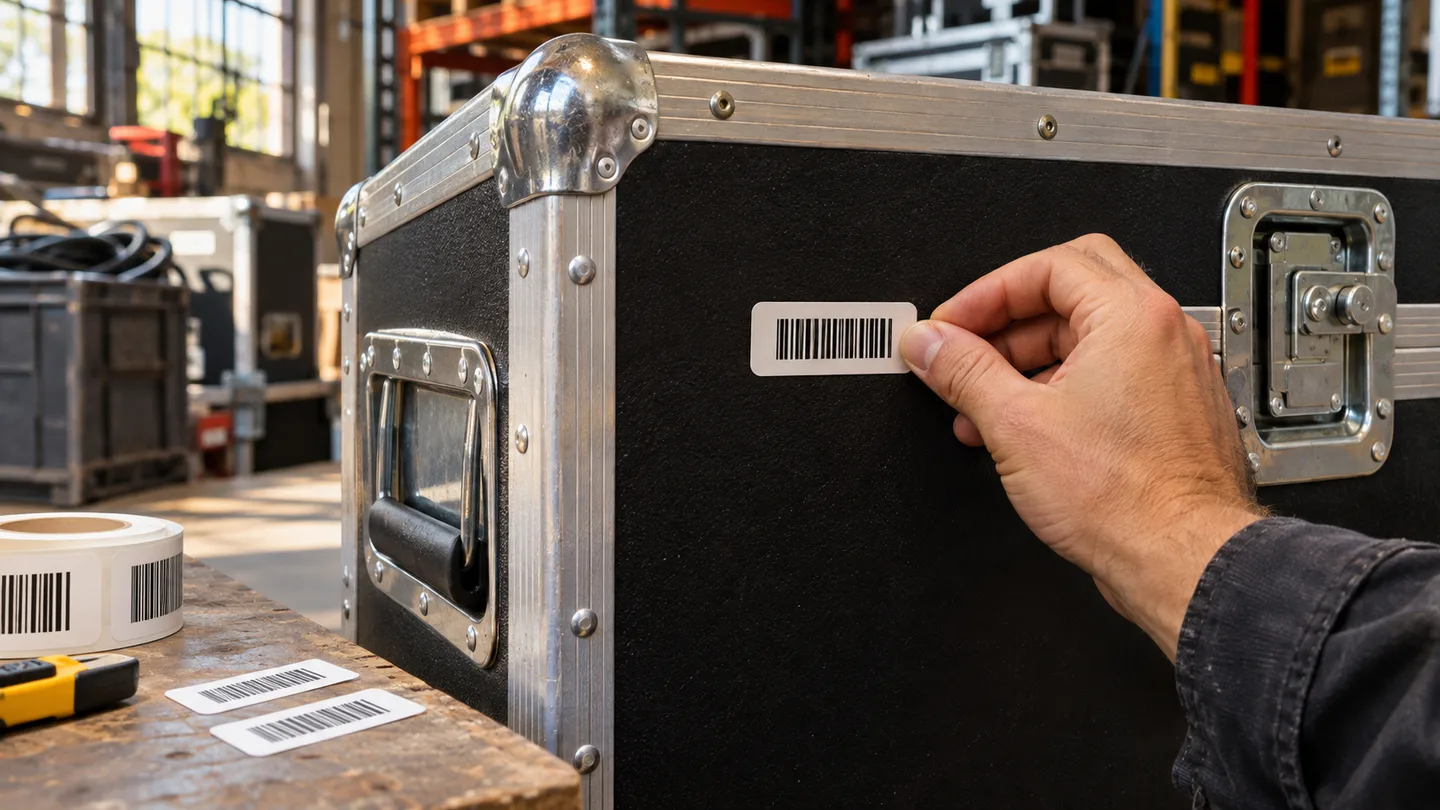
Choose a flat and reasonably protected surface. A label beside the handle may be easy to find, but it can also receive repeated contact. A label under a case may survive scuffs and be awkward to scan once the case is stacked. Find a location that someone can reach safely without moving heavy items or touching controls. Keep codes clear of ventilation openings, safety labels, identification plates, and product markings staff need.
Use material that fits the way the item is handled. A case used indoors and a cart that goes through wet grass may need different labels. Test one batch with ordinary cleaning and handling before reprinting your inventory. Ask the crew to identify where labels get covered during transport. If fabric straps consistently hide the code where it is most visible in the warehouse, change the placement or provide a second read point that resolves to the same identity.
Write a placement note for each equipment group. For example, “front right recessed panel of the road case, above the bottom rail.” When a team member replaces the label later, the scanner should still find it in the expected place. Take one reference photo for cases that look similar. Keep the position consistent enough that the process works quickly, while allowing an alternate position where the manufacturer or equipment configuration calls for it.
Replace unreadable labels without losing history
If the label fails, look up the asset using the printed ID, manufacturer's serial or remaining identification marks. Confirm the exact physical item before reprinting. Reuse the same identifier when the label itself is replaced. Retire IDs when physical assets leave service so old scans or records cannot point to a different item by accident.
Design a small exception workflow for assets that cannot be identified. The crew can put an item in a marked inspection area, record where it was found, and ask someone who knows the equipment to reconcile it. Avoid printing a new number on the spot just to clear a queue. The new number can separate the item from its open reservations and maintenance history. Fix the identity first, then use the normal check-in or maintenance steps.
Make a scan answer the question at that handoff
At staging, the question is whether this physical unit belongs to the order. Show the model and expected items when a staff member scans it. Let them compare it with the booking reference and flag a wrong model or duplicate scan. If the message merely says “found,” the worker may think the item is confirmed when the same ID is already allocated to another job.
At loading, the question is whether the item actually reached the truck. A staged scan and a loaded scan can mean different things. Choose which proof matters for your operation. Some teams can record item assignment during picking and confirm the truck by complete cases or group labels. Others need individual loading checks for critical equipment. Be deliberate about when each step changes the booking record so staff do not count staging as departure.
At pickup, the question is which promised items are coming back. Display what left after approved substitutions, then record the actual count or asset IDs collected. If an item is missing, capture the reason or last known location. A wrong item from the venue should remain identifiable without being accepted as return of the expected one. Give the office enough information to follow up while the venue is still accessible.
Separate arrival from condition and availability
A scan at receiving proves the item was identified in the warehouse. It does not establish that it works, is clean, or is ready for another rental. Provide a separate status for inspection or repair. If the worker scans MIC-018 and finds a broken latch, the check-in can show the kit returned while the asset remains unavailable. Give the repair lead the asset ID and the issue so they can find the correct item without a second count.
Try a mixed return where a speaker case is complete, one microphone kit lacks a cable, and another case is missing. The records should distinguish received and ready, received with an open issue, and still outstanding. Use those distinctions in the next day's allocation. The employee opening the warehouse should know what they can promise before running their first pick.
Plan for duplicates, wrong assignments, and lost signal
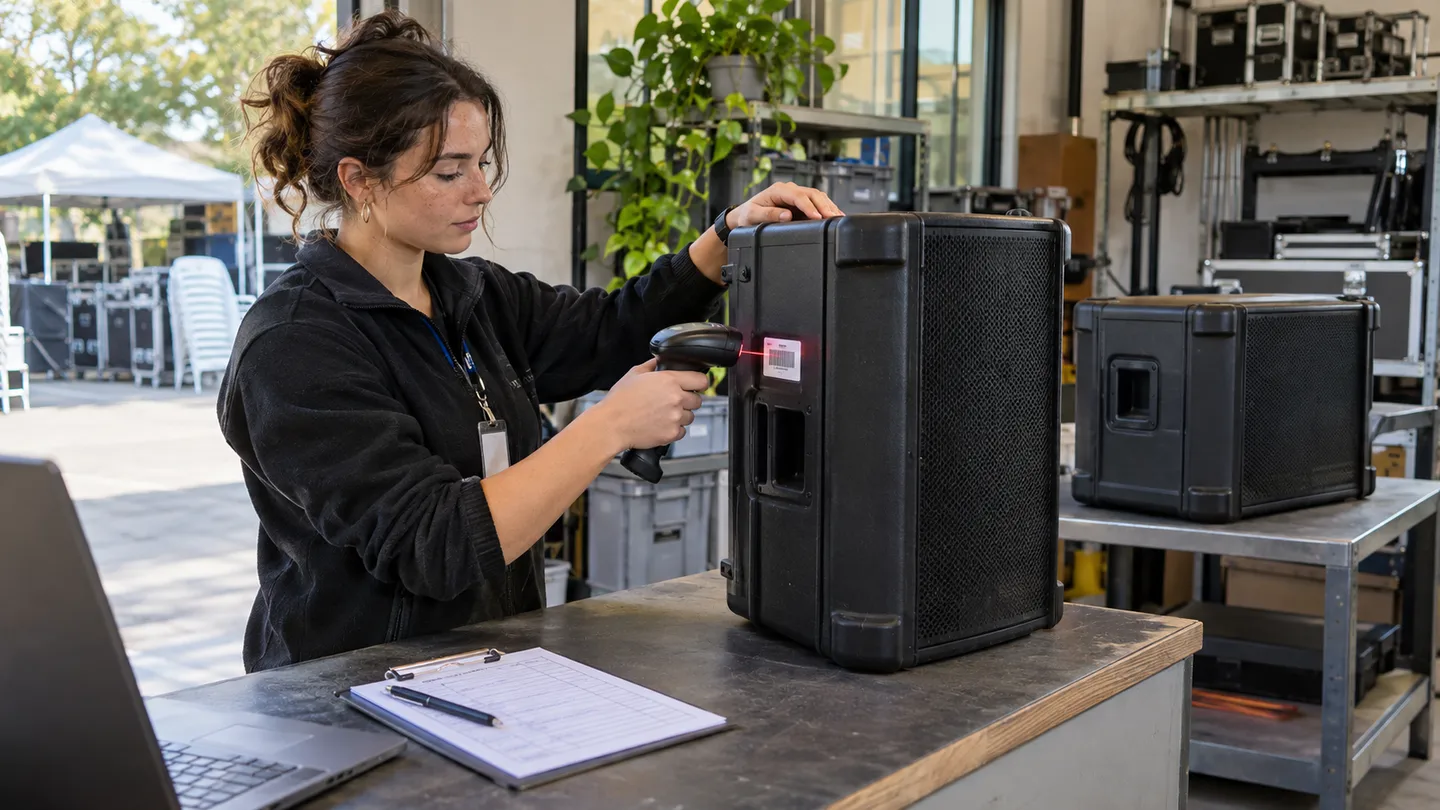
A crew can scan the same label twice when the first response is slow. Prevent that from doubling the loaded count. If the system queues actions offline, display enough detail to show whether a check is waiting to sync. Give staff a way to re-open a queued action or report an error. A pending return should not cause a new booking to assume the asset is available before the authoritative record has caught up.
Also test a collision between the office and a crew on site. The office might substitute another unit after the crew downloaded the manifest. If the person at the venue scans the old item, the system needs a safe way to flag the mismatch. Staff can compare the current booking, verify which unit reached the customer and record the correction under the right authority. The older manifest should remain useful as evidence of what the crew had, even after the current assignments change.
For a low-tech fallback, keep a manifest with readable asset IDs and a revision time. Ask the crew to record the IDs, count, time, location and initials during an outage. Pick one person to reconcile the sheet once the connection returns. The warehouse should have a way to find unsynchronized returns before allocating those units. A paper copy can work as long as it has a clear path back to the authoritative record.
Run a small pilot before tagging everything
Choose six to twelve items that lose time during handoffs. Identify a warehouse lead, a field employee and the person who updates maintenance or inventory. Label each item, enter the IDs, and walk through one delivery and one collection using test records. Record the devices used, lighting, placement and any step people bypassed. Ask what they expected to see after a scan and whether the app gave them that answer.
Create a deliberate mistake in the pilot by putting a wrong case with the assigned load. Try scanning the same case twice and walking a known damaged item through receiving. Check what happens when a correctly identified item is still reserved for a different order. Sample errors reveal whether the process merely reads codes or can protect inventory commitments under pressure.
Give the pilot practical measures
Keep the first measurements simple. How long did staff need to identify a case before and after labeling? How many labels needed a manual entry? Which status changes did the office have to repair? Did the first employee who noticed an issue know where to record it? The numbers are useful only if they tell you where to make a specific improvement.
If most problems come from several codes on the same case, adjust the placement or distinguish the product tag from the shipping label more clearly. If scans work but there is no clear wrong-item warning, fix the application flow before labeling the next category. If the scale of the process is too slow for pooled chairs, keep quantity checks for that group and use unique labels where they save the team the most time.
Complete the rollout by asset type
Write a short list for each new group: what receives an ID, how cases are handled, how the label is placed, which device is used, and what scan events employees record. Add one example of an exception that should not automatically clear the item for use. Include the role responsible for replacing a label and the record to check first if an item appears under two IDs.
Put the guidance near the work rather than only in a long manual. The label printer can have a placement photo, the receiving station can show the inspection statuses, and the dispatch checklist can mention how to recognize a stale manifest. Recheck examples when a team buys new equipment or adopts a new phone or scanner. Small changes in physical handling can make a once-reliable label difficult to read.
A code earns its place when it helps staff distinguish the exact item, verify the current job, and record what happened. A short pilot makes it easier to choose between QR codes and barcodes using real conditions. Once the team can trace the last verified handoff and knows how to record exceptions, the labels become a useful part of rental operations.
Keep asset data usable if you change systems
Export a small set of asset records during the pilot. Check that each exported row has your stable asset ID, the product it belongs to, its current status and the manufacturer's identifier if you track one. Open the file as a team member who did not print the labels. They should be able to match the first three rows to real items on the shelf without relying on an internal database key they never see in the warehouse.
If you update the software later, test a few existing labels before committing to a relabeling project. A code containing your own asset ID may remain useful after an import. A code containing a link may need a documented destination when the old address changes. Keep source files and the identification convention with your operating records. That gives the team a way to repair damaged labels and move the same asset history forward.