Card holds for rentals, from approval to release
Connect the timing of a rental card authorization to pickup, return inspection, partial capture and release.
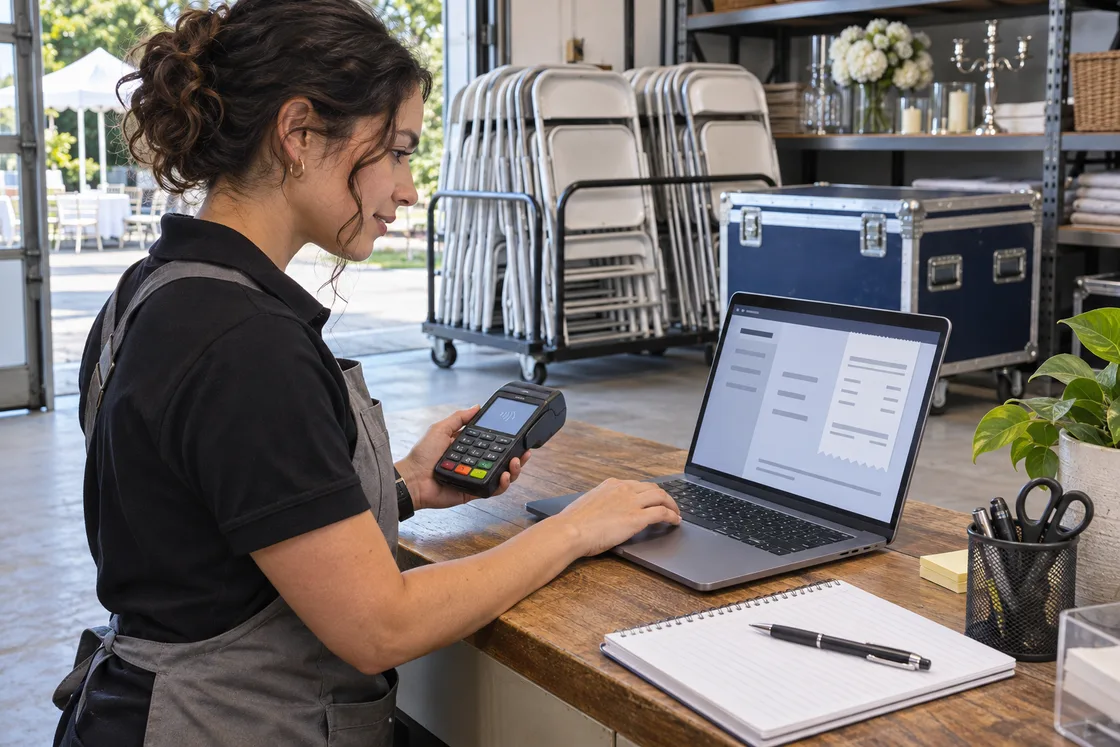
On Thursday a customer pays for a stage kit and provides a card for a $300 equipment security hold. The equipment comes back Monday after the rental office closes. On Tuesday the technician finds a missing cable. Which number does the office check first? The cost of the cable matters, but so does the time left to act on the authorization. If the hold expired Monday, an employee cannot treat it as money the business already has.
A hold can work well when the rental and inspection fit the time your processor gives you. Build the return process around the actual authorization deadline, with a clear decision owner and an agreed outcome if the schedule slips. Follow the transaction from the customer’s initial permission through the last entry in your rental record. That walkthrough is especially valuable when the rental is short and the paperwork or inspection can take several days.
Use names that distinguish the different amounts
Give each amount a name that a customer and a new employee can both understand. The rental fee pays for use and agreed services. A booking payment may be applied to the rental total when a customer reserves the date. An equipment security hold temporarily reserves spending capacity on an eligible payment method. A captured refundable security deposit is a separate charge with its own return process. Put the words the customer sees next to the terms your processor uses so staff can match them confidently.
A hold and a charge can look similar on a bank app while the issuer shows them as pending. In your processor view, the difference determines what action is available. A successful authorization permits capture within the applicable rules and time window. A captured charge has already moved into the payment process and can be refunded if appropriate. For an uncaptured authorization you generally use a cancellation or release operation. See how those terms appear in both your provider and your rental software before writing the customer-facing language. Stripe’s guide to payment authorizations and manual capture
Consider a customer who pays $420 to rent audio for a conference and sees a second pending amount of $250 on their card. The rental receipt should show the $420 rental payment. The separate security record should show the authorized amount, when the shop will review it, and how the customer can ask about it. If the return takes only a few minutes to inspect, the office can confirm it requested release without predicting the exact moment the balance updates in the customer’s bank app.
Create labels for staff that describe actions rather than rely on “done.” Try authorized and awaiting return, inspection complete and release due, released with confirmation, and exception under review. Permission to hold, funding status and rental return are separate facts. A paid rental can still call for a security decision. A returned item can still await inspection. An authorization can expire even though a customer has yet to return.
Start from the inspection time and work backward
Mark the earliest practical time a technician can finish the review. Use an ordinary weekend, a late return and a holiday in the exercise. The crew may pick up the stage at midnight and drop it at the warehouse. A technician must open protective cases, verify the contents and check parts after the appropriate setup the following morning. In a busy week there may be several kits waiting for the same bench. The time the equipment crosses the door is only one point in that sequence.
Now ask the payment provider where the authorization expiry is shown and which flows it supports for your business. The time can depend on the network, transaction conditions and processor capabilities. In Stripe, for example, the card charge can expose a capture deadline. If you use a terminal, online payment page and an invoice service, confirm the behavior for the specific flow you intend to use. Extended authorizations are conditional on eligibility and compatibility. Use the actual deadline for the transaction wherever your system exposes it. Stripe’s guide to extended authorizations
Work backward to the latest safe review and the authorization time you can routinely support. A customer booking in February for an event in May can make the booking payment when they accept the quote. If an equipment hold is appropriate, arrange that separate authorization close to release of the rental with the customer’s agreement and under the processor’s rules. Keep enough time to deal with a declined authorization, a changed payment method or a customer who needs an issuer to resolve a limit issue.
If your slowest normal turnaround falls outside the period you can use, choose a different security arrangement for affected orders. You may want a separate refundable charge with a defined administration process, a different order approval requirement or a consultation with your processor on an eligible option. Review the agreement and any applicable rules before changing what the buyer agrees to. Document the decision with context such as after-hours return, unavailable reviewer or rental duration so it can be understood by the next person on the roster.

Write down the customer’s decision and the shop’s finish line
Present the amount and purpose before taking the card authorization. Explain when you plan to request it, how it affects funds or credit the customer can use, the return review you perform, and the circumstances in which you may capture an eligible amount. Give the customer a reasonable way to get the agreement and ask for clarification. If cards differ in how the pending amount appears, explain that the card issuer controls that display and timing. Use clear amount, currency, and order details on the acknowledgment.
A model description for internal review might read “We request a $250 temporary card authorization when you collect this kit. After it comes back, we review the items and any reported damage. If the return is complete, we request release of the authorization and send you a notice. Your card issuer determines when the amount appears as available again.” Review any wording about when funds could be captured against your actual terms, local requirements and provider rules before using it with customers.
Keep the authorization consent tied to the correct rental and customer. If there are separate payers, document who agreed to each transaction. A venue might pay for furniture while the organizer provides the equipment security. Lead with that practical distinction when sending receipts or asking an approver to confirm a charge. Limit access to order details in messages and keep card information within the approved payment flow. Text messages, dispatch notes and ordinary email can record a reference without carrying payment credentials.
Consider the customer who changes their mind at pickup. An employee should know whether a different eligible card or security arrangement is permitted, who can authorize the change, and what happens to the pickup time. If there is already a hold on the first payment method, make sure the switch has a clear release and replacement plan. Avoid creating multiple active authorizations simply because a clerk cannot see the result from an earlier attempt. The customer may have limited funds available for the rest of the event.
Keep the amount and the capture decision separate
A hold amount is the upper amount you plan to reserve within the eligible arrangement. The amount eventually captured depends on the approved facts of the return and the amount your provider permits. If a photographed and priced missing item qualifies for a $45 charge and the team has permission to capture that amount from a $250 authorization, verify the pending amount, the state of the transaction and whether a partial capture releases the rest. Standard and specialized configurations can behave differently.
Imagine a standard one-time partial capture. A reviewer approves $45, the operator captures $45, and the remaining $205 is released according to the provider's behavior. Record the $45 as a captured amount with the reason and receipt. Record the rest as uncaptured and released when confirmed. A customer who expects a $205 refund will look for a credit they may never see because that portion was never captured. Tell them which part was charged and which part was released.
Where the decision remains unresolved, build a route for the exception. The staff member who notices the missing item can document it and invite the renter to check their bags or vehicle. The person with authority reviews the agreement and evidence. The process should identify what to do before a deadline without treating expiry pressure as permission to move money. If the authorization is no longer usable, escalate through your ordinary dispute or settlement process and obtain any further authorization required for another payment. Recording a card on file and obtaining consent for a new charge involve their own provider rules and customer disclosures.
Limit who can finalize capture. A warehouse employee can mark return condition and flag a possible issue. The account reviewer can decide whether a charge is allowed and what amount is supported. A payment operator or approved system can take the action and log the result. In a small shop people may fill several roles, but keeping the steps legible helps distinguish observations from approvals. When a staff member prepares a charge, give them a way to confirm the same adjustment has not already been settled through an invoice.

Connect release to a verified return
Give every authorized rental an expected return and an inspection deadline. When the kit comes back, a worker verifies the order and checks the components against a list prepared at checkout. Record exceptions promptly. If the return is complete, move it to the release queue. The staff member or service handling payments looks up the matching uncaptured authorization and requests release using the provider’s approved flow. Record a release confirmation or a pending response with the time and reference.
A helpful closing note might say “Your return was checked on Tuesday at 10:15 a.m. We asked our payment provider to release your $250 authorization. Your issuer updates how it appears on your account. Contact us with order R142 if you need the release details.” Use a real confirmation from your provider as the basis for the note. If that request is still waiting or fails, give the customer an accurate status and assign someone to follow up. Don't substitute a generic refund message on a transaction that never became a charge.
Keep the review queue visible on a schedule the business can staff. At opening, show which authorizations are approaching a deadline, which returns await inspection, and which release attempts need attention. Add a backup reviewer for Sundays and holidays. Check where a shift ends and an order stays in someone's queue. An order should reach the right person even if the regular employee is off or the original delivery used another workspace.
Maintain a practical exception for duplicates. A provider might accept a release request but the operator’s screen could time out before getting a reply. Look up the payment’s current state and the transaction reference before retrying. If a second request is needed, send it through the provider’s supported retry process and record the result. For a capture or refund, this is essential to avoid applying money movements twice. A reconciliation step after the shift can compare closed rentals and completed authorizations by order reference.
Run through the cases before you make the policy public
In the approved test environment, simulate a rental where the card authorizes, the equipment comes back in good condition, and the operator releases the hold. Compare what the customer would see with the provider record and the status of the order. Ask the reviewer to explain when the hold was authorized, what triggered release and which accurate receipt or notice would be sent. Include a test where the rental fee is already settled and the authorization follows later.
Test an authorization failure at pickup. A staff member should see how to offer only the eligible alternatives and avoid promising that a new attempt has succeeded until the provider confirms it. Inspect a partial capture scenario separately with simulated damage and an approved amount. Check the disposition of any remainder and the amount printed on the receipt. Then run a case where the provider identifies the authorization as expired before inspection and show how the exception gets handled under your rules.
Test a late return and a change of date. The later return can put one order outside its originally planned authorization window. Give the operator a distinct next action such as requiring a supervisor to confirm the appropriate option. For a customer who uses one card to book and another at pickup, make sure the office can identify the corresponding rental without exposing one payer’s payment details to the other.
If the system lets you automate release, start with cases you can identify unambiguously. Ensure the return is verified and the record contains the right authorization. Set aside items with missing components or a reported incident for review. Build a safe retry when the provider is temporarily unavailable. Test both a release response that arrives immediately and a response that arrives after a restart. Staff should still be able to tell which action succeeded.
Give each location its own exception owner
If two branches handle the same order, decide which one owns the authorization. For example, one branch opens the rental and places the hold at pickup, and the other branch receives the return. The second branch needs access to the approved inspection and order record, and it needs a way to tell the first branch what it observed. The payment operator then uses the right merchant account and transaction. The customer should have one contact that can tell them the status of the release.
Test this handoff once before offering cross-branch returns. Send a sample weekend return to a branch that closes early. Check which person receives the inspection notice and whether that person has the permissions they need for the action they're expected to take. Have the backup follow the same steps. If a branch cannot handle the cutoff, define a realistic alternate pickup, return, or security arrangement before the renter pays.
Review the results when the season changes
Look at five or ten orders after the first week of real use. Check how long customers waited for the release request, how many holds expired before the team reviewed the return, which messages generated questions, and how often staff needed a manager. Compare the exception cases to the actual rental length, return schedule and staffing. If Mondays are the usual problem, changing inspection coverage or authorization timing may resolve more cases than increasing the amount.
Look for friction at both ends of a rental. A large authorization can affect whether a customer can use that payment method. A poorly timed authorization can require a second conversation at pickup and another check at return. The right arrangement is the one your business can explain and administer consistently for the equipment and service it rents. Where your provider or staffing differs by location, record the permitted flow for each workspace and show it at the relevant point in checkout.
Leave the business with one quick reference. It should say what payment flow is used, where capture deadlines appear, who owns the normal release, who can approve a partial charge, and how to record an expired or failed transaction. Ask a coworker to trace a rental from authorization through its final notice. If the process lets them answer exactly where the money stands and what the renter should expect next, it can be used during a busy return day.