Audit asset tracking at the handoff
Audit rental handoffs against real equipment and order records to spot mismatches, incomplete returns and incorrect availability.
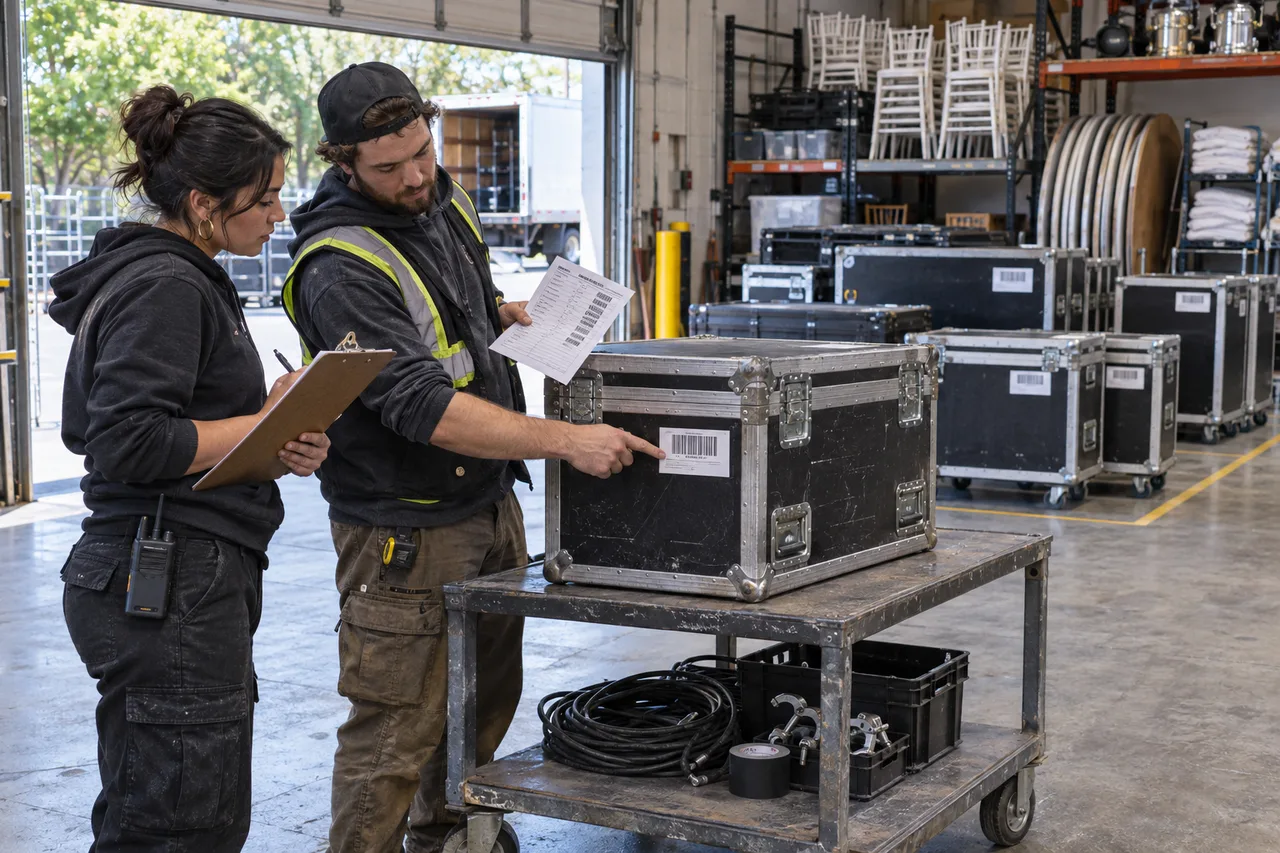
After a weekend event, the rental system says six lighting cases are back. Six cases sit in the return bay. One belongs to a different booking, and another has a tag for a kit that was repacked last month. A count can agree while the business still has the wrong equipment on the wrong orders.
An audit at the handoff follows an item from the physical work to its record and back again. It checks whether staff can identify what changed hands, whether it was counted at the right time, and whether the information can support the next decision. A short audit at the right stations can reveal more about tracking than a full inventory count that begins and ends with a total.
Decide which handoff to audit first
Write down the moments equipment changes responsibility or status. A picker hands a staged order to dispatch. A driver leaves cases with a venue contact. A customer returns a kit to the counter. A returns worker transfers counted equipment to a cleaning or repair area. Each handoff needs enough information for the next person to act.
Start with a moment that has generated questions. If the office regularly checks whether an item actually left the warehouse, audit dispatch. If stock shows available while returns are still waiting to be counted, audit receiving and release. If a particular rental has repeated disputes about which unit or components came back, audit the physical return against the signed or approved outbound record.
Choose a small scope and a short observation window. You might follow five bookings through the return bay during a busy morning. Choose a mix rather than the easiest five. Include one job with pooled quantities, one with individually tracked gear and one that comes back in parts. A representative sample helps staff review the process without stopping the work of the whole warehouse.
Give the team a clear purpose. The audit is about whether the booking, equipment and action agree at the point of handoff. Explain that you will record where the process was hard to follow. Invite the person doing the work to describe the shortcut they use and why. Often a shortcut reveals a screen, label or staging position that made the planned workflow impractical.
Gather the records that describe the handoff
Pull the accepted order, the latest approved changes, the picking list and the outbound dispatch record. For returns, get the expected item and component list alongside anything the customer reported before arrival. If the order was split across trucks or pickup times, note which load you are following. A return record should be compared with the items actually dispatched, including approved substitutions.
Find the actual equipment or count at the point of custody. For a serialized kit, check the label on the relevant unit. For pooled chairs, compare the physical count by item type and condition. For a container or sealed case, note what the label identifies and whether the contents are checked here or at the next station. A count of cases can be an appropriate first receiving step, with component confirmation recorded separately.
Decide what information the employee needs in the moment. The booking reference, customer or route, item identity, quantity, previous status, next status and any exception are often enough. The history should show when the handoff occurred and who recorded it, using the actual roles and tools in your shop. Skip fields no one can verify or use at that station.
Look at how last-minute changes reach the work area. A paper load sheet may be printed before a manager approves a substitution. A mobile screen may still show a cached order. Ask staff how they tell which version is in force. If two versions are present, check what each would tell a worker to load or receive. That is often where a correct booking record starts drifting from the physical job.

Follow the record in both directions
Start with the order and locate the physical item. Confirm the equipment category, quantity or specific asset it calls for. Watch the worker find it in the usual staging or return area. If it cannot be located there, check whether the record names another place, route or responsible person. Record any extra search the worker has to do to prove the equipment is actually present.
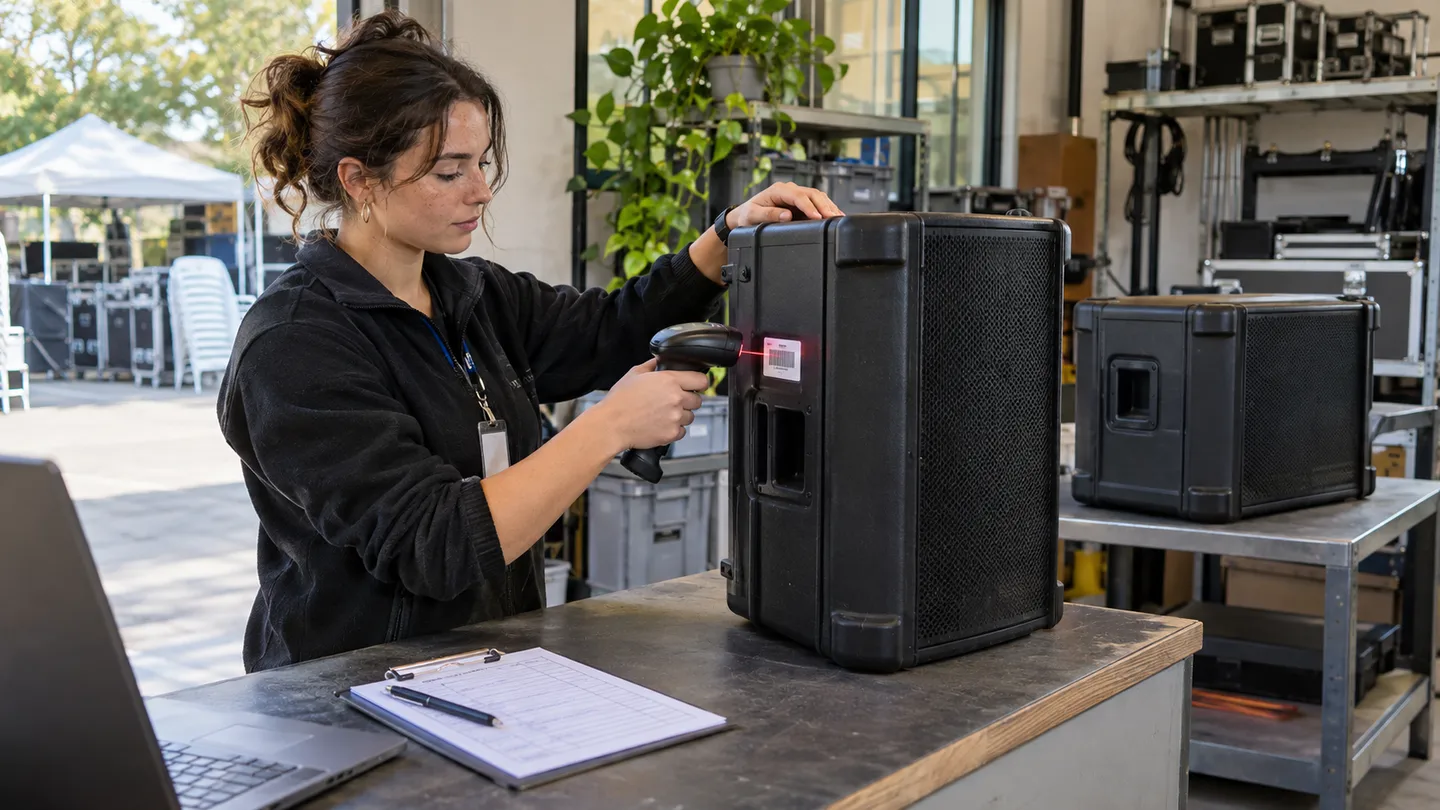
Then start with an item in the lane or truck and trace it back to an order. Scan a case from the cart, or count a stack marked for a destination. Check whether the record shows the expected booking and service stage. Look for an item with no booking, a kit attached to an old order, or stock that is physically present but still listed as out. Those issues can stay hidden when an audit starts only from known bookings.
Compare the time a status changes with the work it represents. An item marked picked should be in the expected place with the order. An item marked delivered should match the handoff your business uses. A received unit may still need inspection or cleaning. If a single status is doing several jobs, find out which employee needs the more precise distinction and at what point.
Note how the next team uses the status. A planner may decide whether to promise the rented item to another customer. A driver may use the selected order to confirm what is on a truck. A repair employee may look for a piece flagged during return. The audit should resolve discrepancies at the point where people can act on them, especially if a booking depends on that inventory soon.
Record exceptions in the same units as the order
Use separate entries for quantity and identity. If 40 chairs were expected and 38 came back, record the missing quantity under the correct chair type. If a serialized mixer comes back with an ID different from the one dispatched, record both identifiers and the staff member reviewing the mismatch. “Count correct” can coexist with “unit mismatch.” Keep those facts distinct until the issue is resolved.
Capture the details needed for a follow-up. State what was expected, what was observed, and where the item is now. If a case has three of four adapters and one damaged cable, say which piece was missing and which was damaged. Record whether the main unit is available, under inspection or held for another team. Avoid asking staff to infer inventory status from a sentence in a customer message.
Define who can clear each common exception. The receiving lead might verify how a missing component was counted. A dispatcher may confirm an item was left on the second truck. A manager may approve reassigning a substitute asset to an order after checking both bookings. Give them a named record to update. A note that says “handled” leaves the next shift to guess what changed.
Look for a safe stop in the workflow when the discrepancy matters. A case assigned to another job can be set in a review bay with a visible reason. Stock with uncertain condition can wait for inspection before it becomes available online. Keep an accurate count of what physically came in so the warehouse can manage the floor while the office resolves the booking. The person checking the next order should see which units are ready to allocate.
Include the situations that get skipped on quiet days
Follow one order with a partial return. Record what arrived, what is still due, the expected next return and which items remain tied to the booking. Check that an employee can see the remaining count without opening a separate note. If different quantities return to different sites, confirm what each site posts and when the combined record changes.
Audit a driver handoff when the phone connection is weak. Find out how the driver captures the items and actual time while they can still see them. Review how the information reaches the back office afterward. If a local record is sent twice, the quantities should still reflect one handoff. If your workflow requires a manual handoff report, test that the office recognizes it and enters it once.
Check an item that is scanned and then removed from the load. A warehouse employee may find a damaged case after it was staged. See whether the crew can reverse the pick, assign a suitable replacement, and update the outbound record before the truck leaves. Check that the customer receives any required approval request and that the removed asset is visible to repair rather than promised as available.
Audit a handoff that crosses a shift boundary. A closing employee may accept several returns but leave detailed inspection for the morning crew. Confirm where the equipment goes and what the second team sees at the start of the day. The handoff needs one source for expected pieces and a reliable sign that counting or inspection is still due. A stack in an unlabeled bay creates work before the next shift can even begin.
Work through six cases that appear to add up
A sound equipment order is due back at nine. The outbound record lists six individually tracked cases, including a case with a mixer and labeled pouch. The receiving clerk sees six cases in the bay and scans them, recording five matches to the outgoing order. The sixth belongs to a booking that ended the night before. Both customers returned their gear during the same half hour.
The clerk records the five matches and moves the unrelated case to a marked spot while they identify its return. They check with the driver who collected the sound system. The missing case is still strapped against the back wall of the truck. Once the driver brings it to receiving, the clerk scans it against the correct booking. The count of cases temporarily changes while the record catches up to the physical movements.
The mixer case comes in with a complete exterior label and one adapter missing. The clerk records the case as received and the kit as short one adapter. The bench checks the spare parts and replenishes it before a second rental is due. The audit checks that the incomplete kit showed as awaiting preparation during the time the adapter was missing. It also checks that the full kit was released only after a worker finished the count.
The follow-up finds that the two orders were staged in neighboring lanes from the same vehicle. The shop moves the initial case identification up to unloading and reserves a small area for anything that cannot be matched on the first scan. A supervisor tests that step on another busy morning. The original issue leads to a change that can be observed and checked, rather than an instruction to pay closer attention.
Use a small set of measures from the audit
Count the handoffs you observed and how many matched without follow-up. Separate wrong identities, wrong quantities, timing differences and missing records. One order can contain more than one issue, so record both the number of affected orders and the types of discrepancies. This gives the team a better way to compare the next sample without confusing incident counts with customer counts.
Measure a delay only if it affects a decision. A return may be scanned two minutes after it reaches the station during normal unloading. A status that shows available two hours before the equipment goes through inspection can cause a booking problem. Record the time difference alongside the type of work and its impact. The useful question is whether people acted from information that did not yet reflect the state of the equipment.
Ask which problems came from the method itself. If a screen cannot show a partial return, workers will find a workaround. If the equipment can go through either side of a bay but scanners are available on one side only, status gaps are predictable. Bring findings to the people who can change the layout, tool or instructions. Choose a fix that makes the correct action easier in the original work area.
Budget time to check the fix. Try the same handoff on a similar set of bookings after making one change. Check whether the discrepancy rate, rework or wait improved. If the crew cannot use the new step on the busiest day, ask what they leave out first and why. Another small adjustment can make a greater difference than widening the audit to the entire fleet.
Hand the next shift one record it can use
Try ending the audit by asking someone arriving for the next shift to read the record without the observer beside them. Give them the booking reference, the row for the item and the location where it is now. Ask them to say whether they could release the asset, which detail they would verify first and whose answer they would need. If their answer differs from the intent of the receiving clerk, look for a status or note that was too broad.
A useful entry can say, “Five of six cases checked against the outbound list at 9:07. Case A-113 still due from Truck 2. Driver asked to check the rear rack. Keep the kit out of the ready lane until the sixth case and adapters are counted.” An employee can act on those facts immediately. Once the case arrives, the clerk adds the result and time, so the first observation remains available and the next decision is clear.
Make it possible to trace a correction without making the entry hard to read. Staff should be able to see the current status at a glance and open the earlier history if they need to explain a difference. Ask the team to try this on a normal return as well as an exception. If the correction workflow requires a manager for every misplaced case, see which routine changes could happen at receiving with the right record and review.
Turn the findings into a routine handoff check
Keep the routine short enough for the team to do it every time. At dispatch, a final scan or count can verify the equipment, route and current order. At return, one check can verify what came back and another can release cleared equipment. Choose the order of those steps based on who handles the gear and where it needs to go next.
Assign an owner for exceptions at each stage, with a place to record the next action. An outbound issue may need a quick warehouse decision. A venue return issue might need a call from dispatch while the driver is still nearby. A damaged asset belongs with the team that can inspect or repair it. Document a sample resolution so staff can see how to update the situation without losing the original facts.
Revisit the audit after a change in fleet, branch, route pattern or booking software. Verify that old status names still describe the work people do and that the same scans reach the same records. Watch for new handoffs created by an added shift or a second warehouse. Each of those changes can affect which item is where and when it can be promised again.
The most useful audit result is a better answer on the next booking. A crew member should be able to show what went out, what came back, what needs attention and which inventory is ready to use. Check those answers at the handoff itself, where the physical work and the record can still be brought back into agreement.